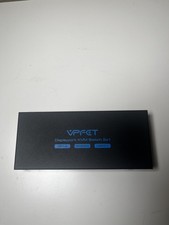
VPFET HDMI KVM Switch for 2 Computers and 1 Monitor
Share one HDMI display, keyboard, and mouse between two computers with a compact switch and wired desktop controller.
Product Overview
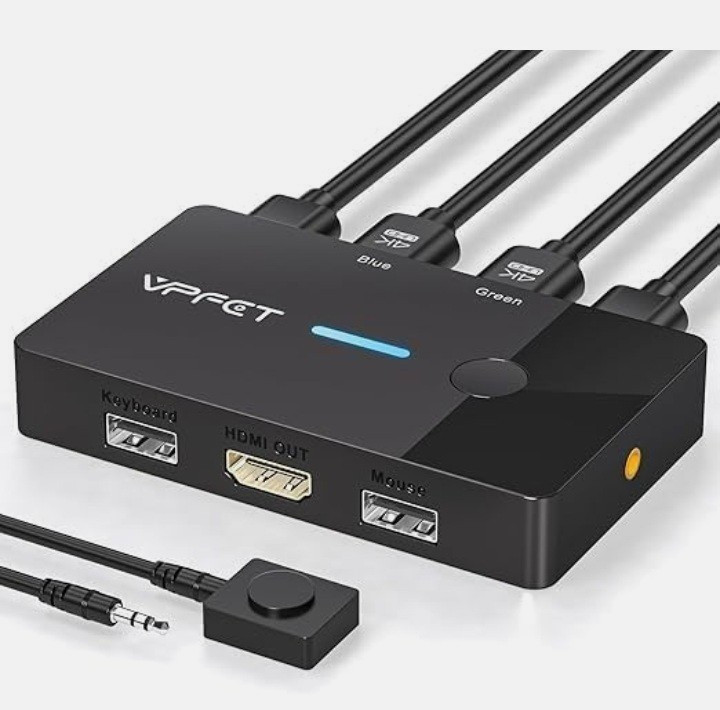
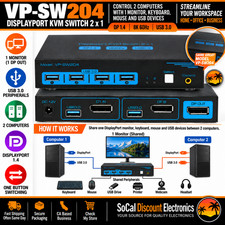
This VPFET HDMI KVM switch lets two HDMI-equipped computers share one monitor, keyboard, and mouse. Press the button on the switch or use the included wired desktop controller to change between the two connected computers without repeatedly moving your display and USB cables.
The compact metal-style housing is designed for a tidy desktop setup. The switch uses one HDMI output for a monitor, TV, or projector and two HDMI inputs for the connected computers.Key Features2-in/1-out KVM switching: connect two HDMI computers to one HDMI display.
Up to 4K at 60Hz: supports high-resolution video when the computers, display, and HDMI cables also support the required signal.
Keyboard and mouse sharing: use the two USB 2.0 device ports to share a wired keyboard and mouse between the connected computers.
Two switching methods: press the top-panel button or place the wired desktop controller in a convenient location.
LED status indicators: the product graphic identifies green for PC1 and blue for PC2.
Compact desktop design: the switch measures approximately 3.85 x 2.36 x 0.63 inches according to the product information.
Plug-and-play design: no driver installation is stated for the standard setup.
Connection GuideConnect each computer to one of the two HDMI inputs.
Connect the HDMI output to one monitor, TV, or projector.
Connect the included USB A-A cables to the computers as shown in the manual, then connect your wired keyboard and mouse to the KVM USB ports.
Plug the wired desktop controller into the switch if you want remote button access.
Press the switch button or controller button to select PC1 or PC2.
What’s IncludedVPFET HDMI KVM switch
Wired desktop controller
Two USB A-A cables
User manualImportant: HDMI video cables are not included. Please use suitable HDMI cables for the resolution and refresh rate you want to run.Compatibility and Important InformationEach computer and the display must have a suitable HDMI port for the intended setup.
Adapters and conversion cables may cause flicker, intermittent disconnection, or no image. A direct HDMI connection is recommended where possible.
For 4K at 60Hz, use high-quality HDMI 2.0-compatible cables and keep the cable run within the limits recommended by the manufacturer.
Video, HDCP, EDID, monitor wake-up, and refresh-rate behavior can vary by computer, graphics hardware, display, cable, and operating system.
The switch is designed for physical-button switching. Hotkey switching is not supported.
USB device sharing is intended for standard keyboard and mouse use. The USB ports are USB 2.0 and are not a USB 3.0 data hub.
Mac and adapter-based setups may have compatibility limitations. Verify your exact computer, monitor, and port configuration before purchase.Before ordering: This product is for one monitor shared by two computers. It does not create two independent monitor outputs, and it does not include HDMI cables. Confirm that your computers and display have the required HDMI ports.