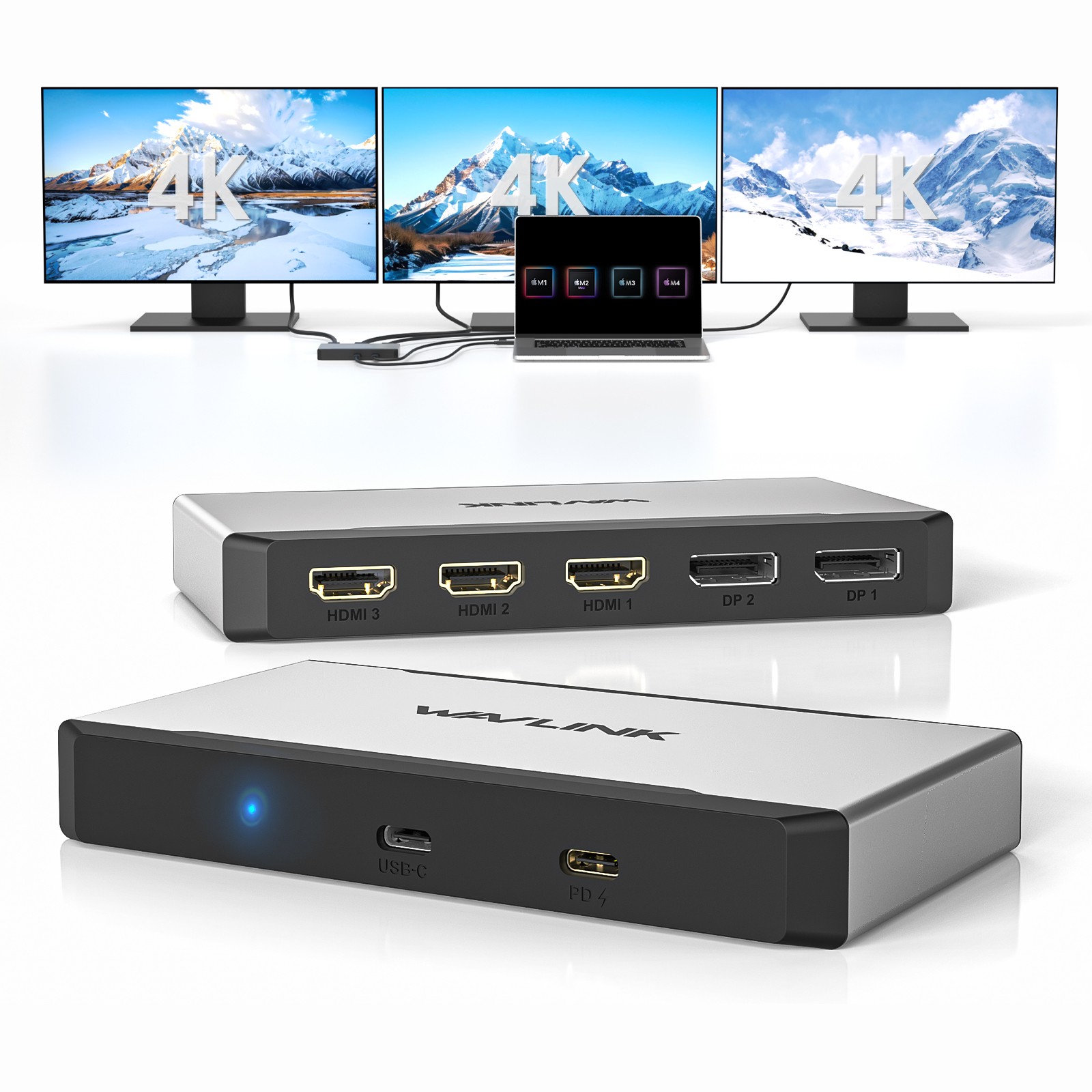
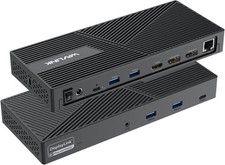
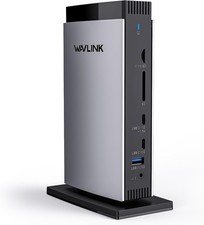
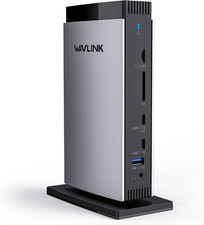
Effortlessly Expand Your Workstation - Take your productivity to the next level with the WAVLINK advanced docking station,
which fuels three 4K@60Hz screens simultaneously (3 outputs from 3*HDMI or 2*DP) – designed for financial analysts
tracking real-time stock charts across monitors, 4K image enthusiasts streaming stunning UHD content,
or project managers overseeing multi-team workflows.
Up to 95W Pass-through Charging - Stay powered up on-the-go with the USB-C upstream port, which delivers 95W laptop charging.
The PD 3.0 input supports 100W power delivery via the included USB-C cable, ensuring that your device stays charged throughout the day.
Note: Please make sure the USB-C port of your host laptop supports charging. The charger and charging cable are not included.
Seamless Compatibility - Compatible with a wide range of operating systems, including Windows 11/10, Mac OS 13.x and later, Android,
Chrome OS, Harmony OS and Ubuntu, while not supporting other Linux, iPad OS, iOS or Steam Deck. Does NOT support plug & play,
please install the latest driver from our website to ensure full functionality of the dock.
2-IN-1 Hybrid Connectivity - Experience effortless connectivity with the included 1m USB-C cable with USB-A adapter,
designed to work with various devices, including MacBook Pro/Air (Intel/M1/M2/M3/M4), Mac Mini, HP Spectre x2, Lenovo Yoga,
Dell XPS, Surface Pro, and other laptops equipped with Thunderbolt 5/4/3 or USB4/3.2/3.1/3.0/2.0 ports.
Sleek & Durable Design - Enjoy a premium and portable design with the upgraded aluminum housing and ABS reinforcement,
which provides a lightweight and durable construction that weighs only 182g/6.4oz. The compact size of 13.7x7.7x2.0cm/5.4x3.0x0.8in makes
it easy to carry in your pocket or bag, ideal for professionals who need to work on-the-go.
Compatible Systems
- Windows 11/10
- Mac OS 13.x or later
- Chrome OS
- Android
- Harmony OS
- Ubuntu
Specification
- Model:WL-UG7701
- Color: Silver & Black
- Material Type: Aluminum & ABS
- Item Weight: 182g/6.4oz
- Product Dimensions: 13.7x7.7x2.0cm/5.4x3.0x0.8in
- Cable Length: 100cm/32.7in
Multiple Display Resolution(Max. Resolution)
Single Display
3840x2160@60Hz
Dual Display
3x3840x2160@60HzIn the Box
- 1 x USB-C/USB-A to HDMI/DisplayPort Universal Triple Display Adapter
- 1 x USB-C to USB-C Cable with USB-C to USB-A Adapter(1m)
- 1 x Quick Start Guide
Warm Tips
☺Please confirm that the type-c port of your laptop supports charging,
or the docking station's host charging function may not work.
☺The USB-C to USB-A connector does not support charging your laptop, please use the USB-C port to charge.
☺Not for other Linux, iPad OS or iOS systems. Does not support Steam Deck.
☺Driver required for this product, do not support plug and play.
☺Not recommended for gaming or video clips.
☺Android devices support mirror mode ONLY with the resolution up to 1080P.
☺On Windows, screen rotation and clamshell mode are both available. On Mac, screen rotation is
not available and clamshell mode is only available on Mac OS 13.x or later.
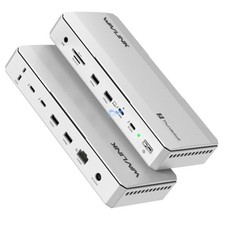
3HDMI/2DP/85W Charging/USB-A/C 3.2/2.5G LAN(DisplayLink)
Features
-The upstream USB-C port provides the host laptop with 85W charging.
-Two USB ports support 10Gbps data transmission.
-RJ45 Ethernet port provides 10/100/1000M/2.5G high-speed network.
-Five video ports(3*HDMI+2*DP) support up to 4K@60Hz resolution.
-Supports extend and mirror video modes through display interfaces.
-PD IN 3.0 passthrough provides 100W power supply for the docking station.
Compatible Systems
- Windows 11/10
- Mac OS 13 or later
- Android 8.0 or later
- Model: WL-UG77PD1-A
- Material Type: Aluminum & ABS
- Item Weight: 372g/13.1oz
- Product Dimensions: 21.3x8.3x2.8cm/8.4x3.3x1.1in
- Cable Length: 100cm/32.7in
Multiple Display Resolution(Max. Resolution)
Single Display
3840x2160@60Hz
Dual Display
2x3840x2160@60Hz
Triple Display
3x3840x2160@60Hz
In the Box
-1×Triple Display 4K Docking Station
-1×USB-C to USB-C Cable with USB-C to USB-A Adapter(1M)
-1×Quick Start Guide
Warm Tips
- Please confirm that the type-c port of your laptop supports charging,
or the docking station's host charging function may not work.
-The USB-C to USB-A connector does not support charging your laptop, please use the USB-C port to charge.
-Driver required for this product, do not support plug and play.
-On Windows, screen rotation and clamshell mode are both available. On Mac, screen rotation is available
and clamshell mode is not available on Intel-based macOS 10.15/11.
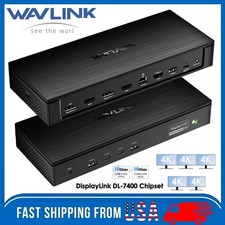
3HDMI/100W Charging/5USB-A/LAN/SD/TF(DisplayLink)
Features
- Three HDMI ports support video output simultaneously: one HDMI port can support the resolution
up to 4K@60Hz and the other two support up to 2K@60Hz.
- Extend/Mirror video modes are available for multiple tasks.
- 130W Power Supply delivers maximum 100W power upstream to charge your laptop.
- A Gigabit Ethernet port offers fast and stable network connection.
- Five USB-A ports with transfer speed up to 5Gbps, backward compatible with USB 2.0;
one of USB-A ports supports 7.5W downstream charging.
- 3.5mm audio out and mic in ports for earphone, mic, and speaker connection and playing.
- SD/Micro SD v4.0 supports SDXC UHS-II and transfers speed up to 312MB/s.
Multiple Display Resolution (Max. Resolution)
1)Single Display:
Under DP1.2 Source: HDMI 1 (Alt Mode): 3840x2160@30Hz; HDMI 2/ HDMI 3: 2048x1152@60Hz;
Under DP1.4 Source: HDMI 1 (Alt Mode): 3840x2160@60Hz; HDMI 2/ HDMI 3: 2048x1152@60Hz.
2)Dual Display:
a. HDMI 1 (Alt Mode) + HDMI 2/3:
Under DP1.2 Source: 3840x2160@30Hz + 2048x1152@60Hz;
Under DP1.4 Source: 3840x2160@60Hz + 2048x1152@60Hz.
b. HDMI 2 + HDMI 3:
Under DP1.2/1.4 Source: 2048x1152@60Hz + 2048x1152@60Hz.
3)Triple Display:
HDMI 1 (Alt Mode) + HDMI 2 + HDMI 3:
Under DP1.2 Source: 3840x2160@30Hz + 2048x1152@60Hz + 2048x1152@60Hz;
Under DP1.4 Source: 3840x2160@60Hz + 2048x1152@60Hz + WL-UG39PD11
2.Ports: Side 1: Power LED; 3x USB-A 5Gbps; 1x 3.5mm Earphone; 1x 3.5mm Mic; SD/TF Card Reader(312MB/s)
Side 2: 1x RJ45(10/100/1000Mbps); 2x HDMI (2K@60Hz); 1x 4K HDMI(Alt. Mode);
2x USB-A 5Gbps; 1x USB-C Upstream (Host, PD100W); 1x DC IN(20V)
3.Unit Size: 24.0x8.3x3.0cm/9.4x3.3x1.2in (L x W x H )
4.USB-C Cable Length: 100cm/39.4in
Power Adapter Cable Length(plug end): 150cm/59in
Power Adapter Cable Length (round port end): 110cm/43in
5.Unit Weight: 363g/12.8oz
6.Housing Material: ABS Plastic
7.Power LED: Blue
Warm Tips:
1.The dock is self-powered and needs to be connected to the power adapter to work normally.
2.Please confirm that the type-c port of your laptop supports charging and video output,
or the docking station's host charging function and HDMI (Alt. Mode) port may not work.
3.Does not support plug and play; driver installation is required. Please visit the website 'displaylink' to download the latest driver.
4.Not for Linux, Unix, iOS or iPadOS systems. Does not support Steam Deck.
5.Windows/Mac OS(12.x or above)-based devices support rotation and clamshell modes.
6.Not recommended for gaming/video editing via HDMI 2/3 ports (only HDMI 1 in Alt. Mode suitable).
7.To get 4K@60Hz on HDMI(Alt.Mode), your laptop's USB-C port must support DP1.4; if it supports DP1.2, you'll be limited to 4K@30Hz.
8.Does not support HDCP, will not playback encrypted or copy-protected content from Netflix, Hulu, iTunes, Amazon Prime, etc.
9.For Mac users, it is necessary to grant permission to the DisplayLink Manager to record your screen.
In the Box
1x USB-C Triple Display Universal Docking Station
1x 2-in-1 USB-C to USB-C Cable with USB-A Converter
1x 130W Power Adapter
1x Quick Start Guide
3HDMI/2DP/100W
Features
- Working with USB-C, Thunderbolt & USB-A laptops.
- 130W power adapter with maximum 100W upstream charging for your laptop via USB-C Host port.
- One Alt Mode HDMI, two HDMI ports and two DisplayPort support up to 4K@60Hz video output, allowing you to connect multiple screens.
- Two USB-C ports with transfer speeds up to 10Gbps; one of them provides BC 1.2 fast charging.
- Three USB-A ports with transfer speeds up to 5Gbps; backward compatible with USB 2.0.
- RJ-45 Gigabit Ethernet port supports stable and high-speed network connections and is backward compatible with 10/100Mbps Ethernet networks.
- SD/Micro SD Slot supports integrated SD V3.0 Card Reader transferring rate at the speed of 104MB/s, ideal for copying any photos.
- Integrated TRRS 4-pole Phone Jack for audio speaker out and mic in.
Multiple Display Resolution(Max. Resolution)
①Single Display:
Under DP1.2 Source: HDMI(Alt. Mode): 3840x2160@30Hz ; Display1/2(HDMI/DP): 3840x2160@60Hz;
Under DP1.4 Source: HDMI(Alt. Mode): 3840x2160@60Hz ; Display1/2(HDMI/DP): 3840x2160@60Hz.
②Dual Display:
a. HDMI(Alt. Mode)+ Display1/2(HDMI/DP):
Under DP1.2 Source: 3840x2160@30Hz+ 3840x2160@60Hz;
Under DP1.4 Source: 3840x2160@60Hz +3840x2160@60Hz.
b. DP1.2/1.4 Source: 3840x2160@60Hz+ 3840x2160@60Hz
③Triple Display:
HDMI(Alt. Mode) + Display1(HDMI/DP) + Display2(HDMI/DP):
Under DP1.2 Source: 3840x2160@30Hz+ DP1.4 Source: 3840x2160@60Hz+ the Full Potential of Your MacBook Neo
While the MacBook Neo natively supports only one external monitor—limiting your workspace and slowing
down productivity—the WAVLINK DisplayLink Docking Station changes the game.With WAVLINK,
you can effortlessly connecttriple 4K monitors, instantly expanding your screen real estate for a smoother,
more efficient workflow.Beyond multi-display power, the dock is equipped with a wide range of versatile ports—
giving you more connectivity, more convenience, and an all-around elevated experience.
Compatible Systems
-Windows 11/10/8.1/8/7/XP/Vista
-Mac OS 10.14-14.x and latest
-Android 5.0 or later with USB OTG cable
-Ubuntu 20.04, 22.04, 23.04, 24.04
-Chrome OS and Harmony OS
Specification
1.Model: WL-UG69PD13Pro
2.Ports: Front Panel: 1x TF Card Slot, 1x SD Card Slot, 2 x USB-C 10Gbps, 1 x USB-A 5Gbps, 1 x 4-Pole Phone Jack;
Rear Panel: 1x RJ45(10/100/1000Mbps), 1 x Display 1(HDMI/DP), 1 x Display 2(HDMI/DP),
1 x 4K HMDI(Alt. Mode), 2 x USB-A 5Gbps, 1x USB-C (Host, PD100W), 1x DC IN (20V/6.5A, 130W).
3.Unit Size: 12.2x6.6x18.5cm/4.8x2.6x7.3in (WxDxH)
4.USB-C to C Cable Length: 100cm/39.4in
Power Adapter Cable Length(plug end): 150cm/59in
Power Adapter Cable Length (round port end): 120cm/47in
5.Unit Weight: 570g/20.1oz
6.Housing Material: ABS Plastic
8.Power LED: Blue
Warm Tips
1. Do not support Linux, Unix, iOS and iPad OS.
2. Does not support plug and play; driver installation is required.
Please visit the website 'displaylink' to download the latest driver.
3. Please confirm that the type-c port of your laptop supports charging and video output,
or the docking station's host charging function and HDMI (Alt. Mode) port may not work.
4. Android devices support mirror mode ONLY with the resolution up to 1080P.
5. Windows/Mac OS(12.x or above)-based devices support rotation and clamshell modes.
6. The DP and HDMI in the same video stream(Display 1/2) CANNOT be used simultaneously.
7. Does not support playback of HDCP copyright protected content from Blu-ray/Netflix/Prime/iTunes/Hulu, and other platforms.
8. The DISPLAY 1/2 ports are suitable for office work, handling spreadsheets, documents or browsing the web.
Not suitable for gaming or other high-intensity tasks.
9. For Mac users, it is necessary to grant permission to the DisplayLink Manager to record your screen.
In the Box
1 x USB-C 10G Triple 4K Display Universal Docking Station
1 x USB-C to USB-C Cable with E-mark
1 x DC 20V/6.5A 130W Power Adapter
1 x Cable Holder
1 x Screwdriver
1 x Quick Start Guide
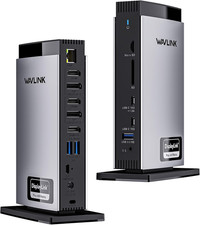
3HDMI/2DP/100W Charging/4USB-A/2USB-C/LAN(DisplayLink)
Wavlink 15-In-1 Triple 4K Display Universal DisplayLink Docking Station with Elegant Shell Design
This Universal Displaylink Triple 4K Display Docking Station works seamlessly with your full-function type-c laptops,
supports mirroring/expanding up to three external displays, and enables connectivity to your wired network and other accessories.
You can easily add triple 4K@60Hz displays with 2x DisplayPort and 3x HDMI ports. Supports 100W charging your laptop and
features full 6xUSB3.1 Gen2 ports which support high speed up to 10Gbps. Thanks to a 160W power adapter that can be fully sufficient
for docking and laptop charging, you can reduce the clutter of your workstation and no longer need to carry an
extra power adapter when traveling or in the office.
Multiple video interfaces make the dock a versatile and powerful tool for users in various industries. Whether you're working with
graphics-intensive applications or simply need a reliable docking station for day-to-day computing tasks, the Wavlink docking station is an excellent choice:
①HDMI( Alt.Mode) Port for Video Editing/ Online Gaming:
--The HDMI(Alt.Mode) allows for high-intensive tasks processing, is particularly well-suited for video editing and online gaming,
making it ideal for large software applications.
②Display 1/2(Chipset: DisplayLink 6950): HDMI /Displayport for Document Processing & Web Browsing
--For document processing and web browsing, DisplayLink 6950 chipset-based interfaces, such as HDMI 1/Displayport 1 and HDMI 2/Displayport 2,
are recommended. These interfaces provide high-quality graphics and a smooth user experience,
even when working with multiple windows or applications simultaneously.
Unlock the Full Potential of Your MacBook Neo
Native support for just one external monitor can hold your MacBook Neo back—but with the WAVLINK DisplayLink Docking Station,
that limitation disappears. Expand your view with dual 4K displays, giving you a sprawling workspace for seamless multitasking and
a dramatically smoother workflow. And the upgrade doesn’t stop there. Loaded with a full suite of high-speed ports, WAVLINK transforms
your MacBook Neo into a true productivity powerhouse—more connections, more flexibility, and an all-around elevated experience.
USB-C Power Delivery
With included 160W power adapter, USB-C(host) supports up to 100W charging your laptop and 60W
for powering all downstream devices as well as other peripherals.
1000/100/10Mbps Ethernet
RJ45 Gigabit Ethernet port provides high-speed and stable wired networks, backwards compatible with 10/100/1000Mbps,
allowing you to connect to faster networks, routers, and NAS devices.
Transfer Files in Seconds
Connect to either of the USB 3.1Gen2 Type-A ports and Type-C ports for different needs, support file transfer speed
at up to 10Gbps, ultra time-saving and efficient for data transmission.
2-In-1 Audio & Mic
Connect a microphone, headphones or mini stereo to this audio out & mic in port when accessing audio files or
needing to speak, which can make listening, talking or recording a breeze.
Security Lock Hole
Supports the connection of Kensington lock, which secures the devices and important data from theft to
keep your properties/data safe. (Kensington lock is not included).
Anti-slip Pads Protection
The non-slip rubber pads on the bottom help the docking station stay stable in place and free from any sliding effects,
quite thoughtful to provide you with a better experience.
Compatible Systems
-Windows 11/10/8.1/8/7/XP/Vista
-Mac OS 10.14-13.x and latest
-Chrome OS, Ubuntu, Android and Harmony OS
Specification
1.Model: WL-UG69PD25Pro
2.Ports: 1x DC Jack, 1x USB-C(upstream), 2x Displayport, 3x HDMI, 1x RJ45, 1x 4-Pole Phone Jack, 2 x USB-C 3.1, 4 x USB-A 3.1
3.Unit Size: 22.3x9.1x2.9cm/8.7x3.6x1.1in( L x W x H )
Package Size: 28.1x13.7x7cm/11x5.4x2.8in( L x W x H )
4.USB-C to C Cable Length: 100cm/39.4in
Power Adapter Cable Length(plug end): 150cm/59in
Power Adapter Cable Length (round port end): 110cm/43in
5.Unit Weight: 378g/13.3oz
6.Housing Material: Plastic
7.Shell Color: Black
8.LED Indicator Color(Docking Station): Blue
LED Indicator Color(Power Adapter): Blue
In the Box
1x USB-C Triple 4K Display Universal Docking Station
1x USB-C to C Cable (E-Mark Chip)
1 x 20V/8A 160W Power Adapter
1 x Quick Start Guide
1 x Driver Link Card
Multiple Display Resolution
①Single Display(Max. Resolution)
Under DP1.2 Source: HDMI(Alt Mode): 3840x2160@30Hz ; Display1/2(HDMI/DisplayPort): 3840x2160@60Hz;
Under DP1.4 Source: HDMI(Alt Mode): 3840x2160@60Hz ; Display1/2(HDMI/DisplayPort): 3840x2160@60Hz.
②Dual Display(Max. Resolution)
a. HDMI(Alt Mode)+ Display1/2(HDMI/DisplayPort):
Under DP1.2 Source: 3840x2160@30Hz+ 3840x2160@60Hz;
Under DP1.4 Source: 3840x2160@60Hz + 3840x2160@60Hz.
b. DP1.2/1.4 Source: 3840x2160@60Hz+ 3840x2160@60Hz.
③Triple Display(Max. Resolution)
HDMI(Alt Mode) + Display1(HDMI/DisplayPort) + Display2(HDMI/DisplayPort):
Under DP1.2 Source: 3840x2160@30Hz+ DP1.4 Source: 3840x2160@60Hz+ Tips
- Please confirm that the type-c port of your laptop supports charging and video output,
or the docking station's host charging function and HDMI (Alt. Mode) port may not work.
- Please follow the instructions to download the latest DisplayLink driver from the official website before use.
ONLY plug and play for Chrome OS, Windows 10/11.
- Please keep connected to the power supply when using this docking station (power adapter included in the package).
- Only one video port can be used in the same video stream (Display1/Display2), either a "DisplayPort" or a "HDMI".
2HDMI/96W Charging/TBT4/4USB-A/2.5G LAN/SD/TF(TB4)
Features
- 1*TBT 4 downstream and 2*HDMI 2.1 provide single 8K@60Hz and triple 4K@60Hz video output.
- TBT 4 upstream port transfers speed up to 40Gb/s and supports a smart Max. 96W upstream charging.
- TBT 4 downstream port transfers speed up to 40Gb/s and supports Max. 8K@60Hz and PD 15W charging.
- 1*USB-C transfers speed up to 10Gbps and provides PD 30W downstream charging.
- 2*USB-A transfer speed up to 10Gbps and 2*USB-A transfer speed up to 5Gbps.
- 2.5G RJ45 Ethernet provides high-speed wired network and is backward compatible with 1000/100/10Mbps network.
- Built-in SD 4.0 card reader features SD and MicroSD slots, supporting both SDXC and SDHC standards.
It has a theoretical bus speed of up to 312MB/s and supports simultaneous reading.
- 3.5mm Audio/Mic jack supports CITA/OTMP standard headphones.
- Kensington lock effectively deters theft and ensures the safety of the valuable device.
Compatible Systems
-Thunderbolt 4 PC running Windows 10/11.
-Thunderbolt 3/4 Mac running Mac OS 11 or later.
-Compatible with Other USB4 and MFDP Hosts (Full-functional USB-C, supports DisplayPort+USB3.1+Power Delivery)
Multiple Display Resolution(Max. Resolution)
a. For Mac OS TBT3/TBT4:
1) Single Display: TBT4/HDMI1/HDMI2: 4K@60Hz;
2) Dual Display: TBT4+HDMI1/2: 4K@60Hz(ABC); HDMI1+HDMI2: 4K@60Hz(ACC);
3) Triple Display: TBT4+HDMI1+HDMI2: 4K@60Hz(ABCC).
b. For Windows TBT4 PC (DP1.4 with DSC):
1) Single Display: TBT4/HDMI1/HDMI2: 8K@60Hz;
2) Dual Display: TBT4+HDMI1/2: 4K@60Hz; HDMI1+HDMI2: 4K@60Hz;
3) Triple Display: TBT4+HDMI1+HDMI2: 4K@60Hz.
c. For Windows USB-C MFDP PC (DP1.4 with DSC):
1) Single Display: TBT4/HDMI1/HDMI2: 8K@30Hz;
2) Dual Display: TBT4+HDMI1/2: 4K@60Hz; HDMI1+HDMI2: 4K@60Hz;
3) Triple Display: TBT4+HDMI1+HDMI2: WL-UTD45
2.Ports: Front Panel: 1x 4-Pole Phone Jack; SD/TF Card Slots(312MB/s), 1x USB-C(10Gbps, PD 30W), 1x USB-A 10Gbps, 1x Thunderbolt 4 Host(40Gbps, 96W);
Rear Panel: 1x DC IN (20V/8A, 160W); 2x 8K HDMI; 1x Thunderbolt 4 Downstream(8K, 40Gbps, 15W); 1x USB-A 10Gbps; 2x USB-A 5Gbps; 1x RJ45(2500Mbps).
3.Unit Size: 217.7x 83.1x31.1mm/8.6x3.3x1.2in (WxDxH)
4.Thunderbolt 4 Cable Length: 80cm/31.5in
Power Adapter Cable Length(plug end): 150cm/59in
Power Adapter Cable Length (round port end): 120cm/47in
5.Unit Weight: 545g/19.2oz
6.Housing Material: ABS+Aluminum Alloy
Warm Tips
1.M1/M2 based Macs only support single monitor.
2.For M3-based Macs, pls close the host screen to support dual display.
3.Using two HDMI ports for multiple displays on Mac will show mirrored content.
4.Single 8K@60Hz is enabled for Windows TBT4 PC with DP 1.4 or higher and DSC.
5.MacBook limits to 4K@60Hz in single/dual/triple display mode due to hardware constraints.
6. Performance may be limited for non-Thunderbolt 4 systems.
7. The downstream Thunderbolt 4 port and the USB-C PD port support offline charging.
Devices can be charged when disconnected from the computer or when the computer is powered off.
In the Box
1 x Thunderbolt 4 Triple Display Docking Station
1 x 0.8M Thunderbolt 4 Cable
1 x 160W Power Adapter
1 x AC Power Cable
1 x Cable Holder
1 x Quick Start Guide
3×TBT 5 DFP/140W PD/4USB-A/2.5G LAN/SD/Micro SD(TB5)
Features
- 1* Thunderbolt™5 UFP provides 80Gbps data, 120Gbps bandwidth video transfer, 140W instant charging for the USB-C laptop.
- 3* Thunderbolt™5 DFP provide 80Gbps data, dual 8K@60Hz or triple 4K@144Hz display at 120Gbps bandwidth,
one of them supports 30W instant charging for the downstream devices.
- 4* USB-A transfer speed up to 10Gbps, and compatible with USB 3.0/2.0.
- 1* RJ45 Ethernet provides efficient transfer, low-latency game experience, stable wired network.
- 1* UHS-Ⅱ SD/Micro SD card reader transfers high-definition video and vivid images at 312MB/s, and compatible with UHS-Ⅰdevices.
- 1* Combo 3.5mm mic/headphone jack for clear audio in and out.
Multiple Display Resolution (Max. Resolution)
Windows 11 or higher:
Single Display:
Via Thunderbolt 5: Up to 8K@144Hz
Via Thunderbolt 4: Up to 8K@60Hz
Via USB-C Alt Mode: Up to 4K@60Hz
Via Thunderbolt 3: Not supported.
Dual Display:
Via Thunderbolt 5: Up to 8K@60Hz
Via Thunderbolt 4: Up to 6K@60Hz
Via Thunderbolt 3: Not supported.
Via USB-C Alt Mode: Not supported.
Triple Display:
Via Thunderbolt 5: Up to 4K@144Hz
Via Thunderbolt 4: Not supported.
Via Thunderbolt 3: Not supported.
Via USB-C Alt Mode: Not supported.
macOS (14.6 or later):
Single Display:
M4 Base/Pro/Max: Up to 8K@60Hz
M1/M2/M3 Pro and Max: Up to 6K@60Hz M3 Base: Up to 6K@60Hz
M1/M2 Base: Up to 4K@60Hz
Dual Display:
M4 Base/Pro/Max: Up to 6K@60Hz
M1/M2/M3 Pro and Max: Up to 6K@60Hz
M1/M2/M3 Base: Not supported.
Triple Display:
All M-series chip Macs (including M4): Not WL-UTD59
2.Ports: Front: 1×Combo Audio Jack; SD/Micro SD Card Reader(UHS-Ⅱ, SD 4.0); 2×USB-A(10Gbps);
1×TBT 5 UFP (Host, Max. 140W Charging, Video); 1×TBT 5 DFP (80Gbps, Video, PD 30W);
Rear:1×Lock; 2×TBT 5 DFP (80Gbps, Video, Charging); 2×USB-A (10Gbps); 1×RJ45 Ethernet; 1×DC IN (20V).
3.Unit Size: LxW×H to C/ HDMI Cable Length: 100cm/39.4in
5.Unit Weight: 610g/21.4oz
6.Material: Aluminum alloy
In the Box
- 1 x Thunderbolt™5 Multifunctional Docking Station
- 1 x 1m USB-C to USB-C Thunderbolt™5 Cable(80/120Gbps)
- 1 x 20V Power Adapter
- 1 x Screwdriver
- 1 x Quick Start Guide
Warm Tips:
1. For the best experience, a laptop with a Thunderbolt 5 or Thunderbolt 4 port is recommended.
Performance will be limited on standard USB-C and USB4 ports.
2.Triple External Displays: Support for three external displays is potentially available only when connected to a
laptop featuring a Thunderbolt 5 port and running Windows 11 or later. Actual support depends on the specific laptop's specifications.
3.macOS System Limitation: macOS systems do not support triple external displays through this dock. The number and
resolution/refresh rate of supported external displays depend on the specific Mac chip model (M1/M2/M3/M4 Base/Pro/Max).
Please refer to the compatibility list for details.
4.High Resolution/High Refresh Rates: Achieving 6K/8K resolutions and refresh rates above 60Hz typically requires both
your laptop (GPU) and external monitor(s) to support DSC (Display Stream Compression).
5.Accessories: USB-C to HDMI/DP cables and the security lock are not included and must be purchased separately.
Instructions about the monitor(s): 1.Dual 5K monitors must be Thunderbolt 4 or Apple Studio Displays. Dual LG UltraFine 5K monitors
are not supported. 6K monitors can be a Thunderbolt 4 monitor or an Apple Pro Display XDR. DSC (Display Stream Compression)
support is required for 6K and 8K resolutions.
2.Higher refresh-rates (above 60Hz) may require DSC (Display Stream Compression) support on the monitors and host GPU.
The bit/color depth may vary in order to support higher refresh-rates.
3.Some M3 MacBooks such as the MacBook Air can support dual external monitors up to 5K and 6K
when the laptop lid is closed (clamshell mode).
4. Currently M1/2/3/4 Macs can only support up to HDMI 2.0b over its Thunderbolt ports. As such, resolutions will be limited to
4K 60Hz when using an HDMI adapter. If a higher refresh-rate is required, please use a USB-C to USB-C or USB-C to DisplayPort or
DisplayPort to DisplayPort connection. For more information about a Mac’s external display support please Apple's or CalDigit's support webpages.
5. Results may vary due to OS updates. For external display compatibility over a single Thunderbolt connection on
different Windows computers, please refer to the manufacturer’s website.