Item Description:
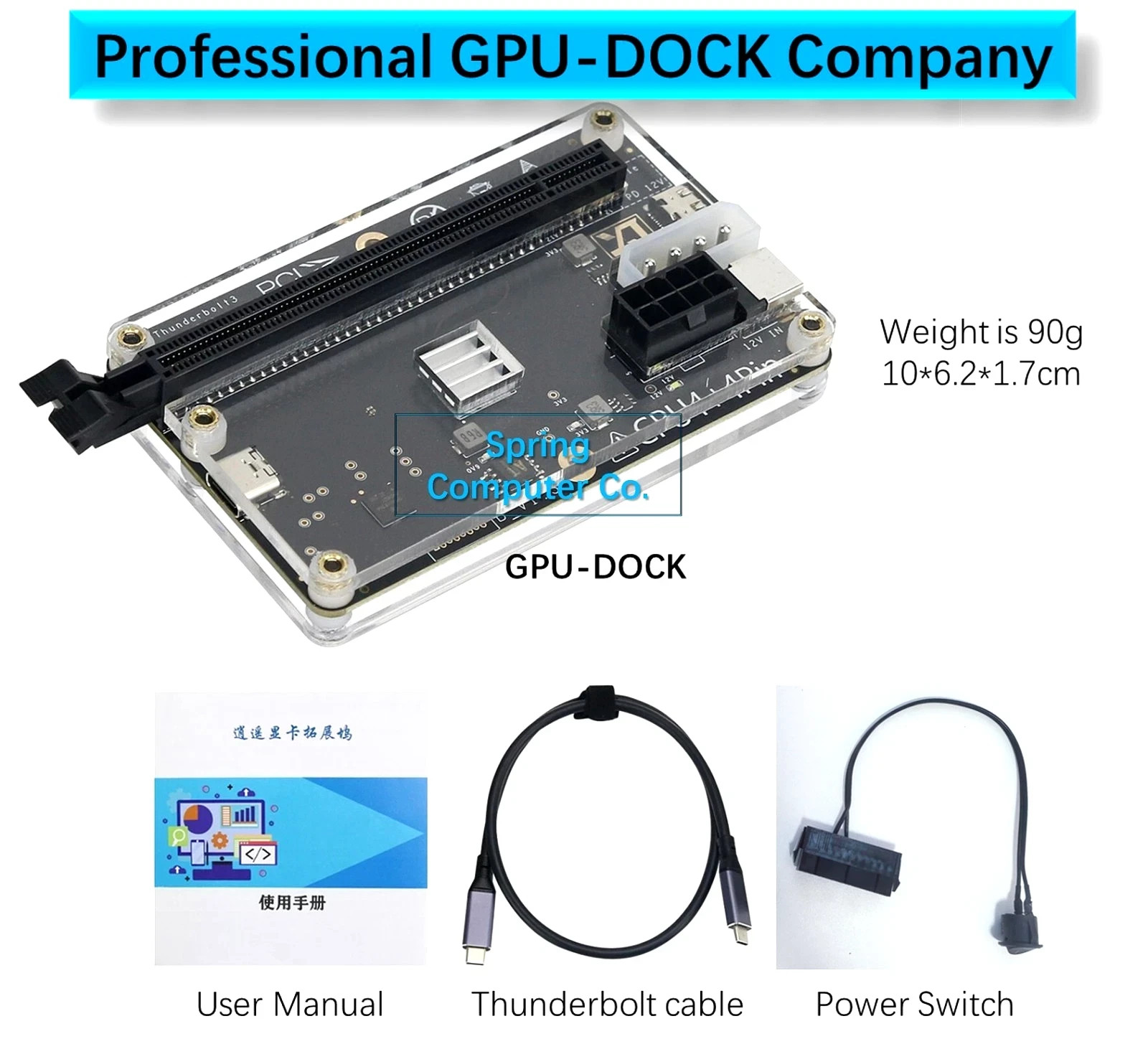
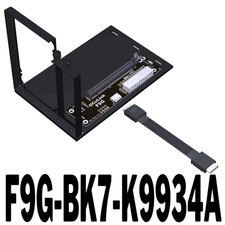
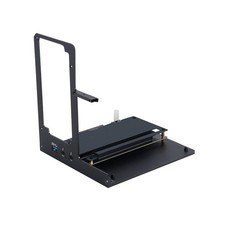
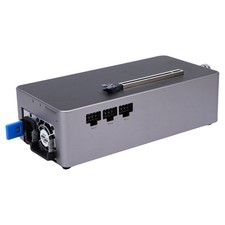
- XOYO thunderbolt3&4usb4 Graphics card dock without GPU. Comes withall necessarycables (60cm/23.6" USB4 Data Cable for Thunderbolt 3 and 4, and power switch).
- This item is new, all functions working well.
- This item is very very small(size is 10cm*6.2cm*1.7cm,weight is 90g),it is easy to carry(portable) when you are in business trip.
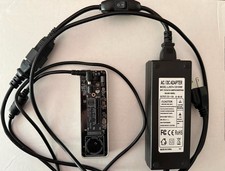
- This item don't include pc-power or server-flex-power,you can buy pc-poweror server-flex-powerforGraphics cardfromlocally, maybe very cheap (PC powersuggest n*8pin power cable).
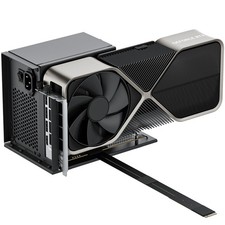
- You can use any size of GPU, for example: bought must meet your graphic card, suggest 400~600W).
- We are professional GPU-Dock company, strong technical support for you!
Please pay attention to:
- If your laptop only has an integrated graphics card, you can buy this item, both the laptop's internal screen and the external screen can work well.
- If your laptop only has a dedicated graphics card, when using this item, you can only connect the external screen and cannot use the laptop's internal screen.
- If your laptop has both an integrated graphics card and a dedicated graphics card, pls right-click on the desktop of your laptop, select Display Settings, choose Advanced Display Settings, and check the internal monitor is using an integrated graphics card or a dedicated graphics card: If the internal monitor is using an integrated graphics card, both the laptop's internal screen and the external screen can work well; If the internal monitor is a dedicated graphics card, it can only be connected to an external screen and cannot use the laptop's internal screen.
- So,if your laptop has both an integrated graphics card and a dedicated graphics card, suggest you selectintegrated graphics card.Usually, most laptops GPU can be set to three modes/scenarios: integrated graphics card mode, delicated graphics card mode, and hybrid mode.
Package Included:- 1 x Graphics Card Dock- 1 x 60cm/23.6" USB4 Data Cable
Note:- Graphics card is not included.
GPU-Dock Performance Test:Game test reference: insert GTX1070 into GPU-Dock, Game name:Rise of Tomb RaiderGraphics Quality: high, Resolution: 1080p Test Result: average FPS is67.30FPS
Note: if use better GPU(e.g.,RTX4080), FPS will be higher.Use Suggestion:1. Suggest update Nvidia or AMD GPU to newest version in your laptop.(desktop version, not notebook version).2. Insert GPU(graphic card) into GPU-Dock gently.3. Connect PC power to all devices: PC power use 8pin power-cable or large 4Pin power-cable connect to GPU-Dock; PC power use 1/2/3 pcs of 8pin power cable connect to GPU; PC power use 24Pin cable connect to Power-switch(the PC power need to be shorted at the 24Pin connector).4. Power-on laptop, power-on GPU-Dock.5. About 3~5 minutes later,Connect thunderbolt-cable between laptop and GPU-Dock. laptop can find eGPU in Device Manager.iflaptop can't find eGPU automatically,plskeeping GPU-Dock connected and powered on, andreboot your laptop.Payment Policy1. We accept PayPal,Payoneer,Visa Card,Credit card etc.
2. We ship to your or Paypal address. Please make sure your and Paypal address is correct before you pay.To expedite your order processing please include your item number and buyer ID in all forms of payment.Shipping Policy1. Your order will be shipped within 3 business days once we receive your payment;The shipping time is around 7-15 business days depending on your location.
2. We are not responsible for any customs duty incurred at foreign customs; For remote regions of DHL/FedEx..., extra shipping costs might be charged. Usually it costs about 30USD-49USD. We will contact you if shipping company informed us your address belongs to remote area. Thanks for your understanding.Custom Duties & Taxes1. It is buyer's responsibility to cover the import duties, taxes.We do not charge any taxes and fees, and the possible taxes and fees will be collected by the platform or by third parties such as customs and carriers.
2. Please check with your country's customs office and inform us what/how much should declare before shipping.Contact usIf you have any questions please contact us . We will respond within 1 business day or less. Please include your item number or order number in all communications. If you are not satisfied with the product or service, please contact me and don't give us negative or natural response, We must give you a satisfactory solution.
response1. Please kindly leave us a positive response and 5 star DSR if you satisfied with our product and service. Please feel free to contact us firstly if you have any problem with your order, we are responsible and credible seller and will solve the issue it for you asap.
2. If you are dissatisfied for any reason, please don't be quick to leave us neutral or negative response. We work hard to make sure EVERY CUSTOMER 100% SATISFIED and resolve any problem for you and always leave positive response to all our customers.
FAQ:
1. What kind of laptop can I use?
You can use a laptop with ports for Thunerbolt3/Thunderbolt4/USB4. If you can't confirm whether your PC can be used or not, please contact customer service before placing an order.
2. What kind of graphics card can I use?
As long as the driver can be found on the official websites for NVIDIA and AMD, it can be used.
Graphics cards for NVIDIA series from 4090 to GTX450 can be used. The same to graphics cards for AMD.
3. About reverse charging
Reverse charging is not supported, because it is easy to burn the motherboard.
4. What do I need to prepare for use?
You need to prepare a PC power supply, a DC power supply, a cable for Thunderbolt or a USB4 data cable according to your external devices.
5. About cables
We have made a quality USB4 data cable for you.
6. About transmission speed
Our graphics card dock adopts JHL6340 and its transmission speed is about 2750MB/s, 2750*8/1024=21.5G. It can be used on both systems for Windows 10 and Windows 11.
Many other docking stations use JHL7440, with a transfer speed of 3000MB/s and a speed of 23.5G. However, due to the hardware design of many products, there will be many errors when they are used in Windows 11, and only on the 1809 and 1903 versions of Windows 10 can they be used stably, which greatly limits the user group and customers.
7. Is it suitable for MacBook laptops?
Whether your laptops are using chips for Intel or M series, we can only guarantee that these systems can recognize our GPU dock, and customers need to solve the driver by themselves. Of course, the driver problem is for the graphics card. And when we used the hard disk (for NVME) on a laptop for MacBook, the 10 Gigabit network card could be used normally.
8. How much power do I need for PC power supply or DC power supply?
If you want to use an external non-graphics device, such as 10 Gigabit network card, hard disk for NVME, FPGA, audio acquisition card, etc., you can use a 12V 3A power supply (especially large power supply depends on the power of your device).
If you use an external half height video card which is less than 75W, such as 6400, choose a power supply of more than 12V 7A according to the power of the graphics card.
If you use a graphics card larger than 75W, please leave a margin of more than 20% according to the power consumption of the graphics card and the output of the PC power supply is 12V.
9. About M.2 external connections
We do not recommend M.2 transfers. The reasons are as follows: First of all, under normal circumstances, there are only two M2 interfaces in a laptop, one is for M2 hard disk, and the other is a network card (this is PCIEX1 bandwidth, and the graphics card can hardly be used). Some thin and light laptops even have only one M2 connector (except for special models). Secondly, every time you use it, you need to open the back cover of the laptop and lead out the M.2 adapter. Finally, not connecting or removing the battery can easily cause the motherboard to be burned directly, which causes higher costs.
10. About loss and performance
First of all, the loss is closely related to your CPU, graphics card model, cable for Thunderbolt, operating system, software settings, game optimization, and output quality. We can't give an exact value for this. Second, because it supports external devices, losses are relatively controllable. If your devices are plugged in for an add-in, we recommend that you use a desktop computer directly. When you only has a laptop which has a port for Thunderbolt, and want to use the laptop to play games or do some work that must be done by the substitute graphics card, we recommend buying this external graphics card dock.
If you use a display to play games, it is recommended to buy a graphics card under 3080. If you use a touchscreen to play games, you can buy a 4090 graphics card. At present, the same hardware, different systems have big differences: Win10 professional version > Win11 professional version = Win10 other version > Win11 other version
11. About quality:
Each GPU dock is delivered after rigorous testing, and there are basically no quality problems.