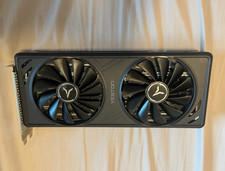
Feature:
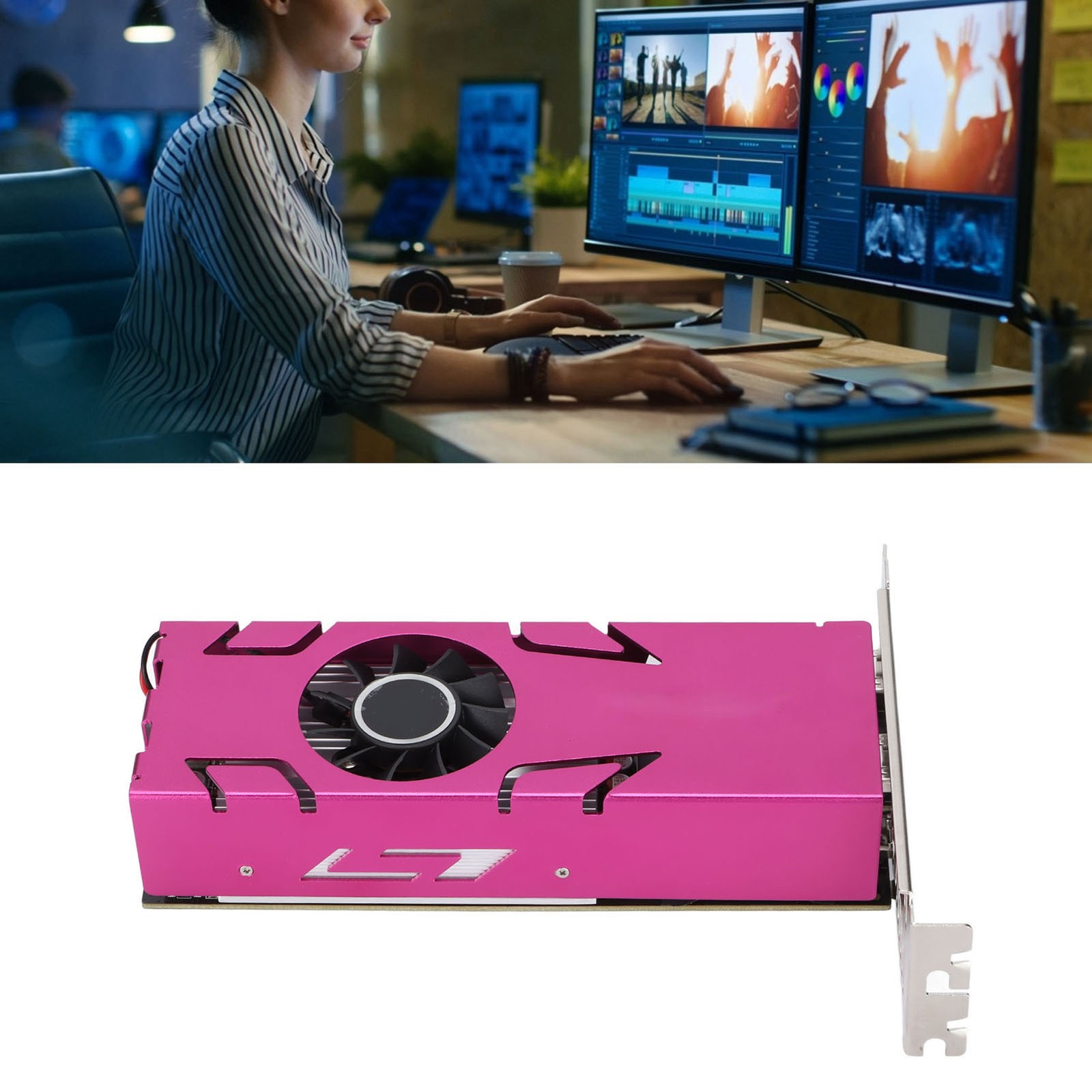
1. RX550 4 Screen: 4 High Definition Multimedia Interface support 4 split screens display and realize free combination of 4 screens, freely adjust between extended mode, replication mode and integration mode.
2. 10bit Color Depth: Providing richer color and more natural transition, which can satisfy the strict demand of designer for colors. Support 4K 2K 1080P resolution and 60Hz refresh rate.
3. 4K and HDR Technology: 4K and HDR technology can notably improve picture clarity, brightness, color, excellent presentation of dark and bright details.
4. 4GB GDDR5 128bit: This computer graphics card has powerful picture processing ability, with 1183MHz core clock and 6000MHz video memory basic frequency.
5. System Compatibility: This computer graphics card is suitable for 7(64), for 10(64), for Ubuntu16.04(64) operating system.
Specification:
Item Type: Computer Graphics Cards
Material: Printed Circuit Board and Metallic Aluminium
Model: RX550-4G 4HDMI GA
Color: Pink
Core Code and Process: RX550/14nm
Unified Shader: 512
Core Frequency/video Memory Frequency: 1183/6000MHz
Memory Capacity and Specifications: 4g/128bit/gddr5
3D Features: DirectX 12/ Mantle / OpenHL 4.5
OS Features: Suitable for 7(64), for 10(64), for Ubuntu16.04(64)
: YDP15-A
Other Features: For LiquidVR™ Technology, for FreeSync™ Technology 2 Radeon™ VR Ready
Bus Interface: PCI-Express 3.0 X 8
Output Interface: High-Definition Multimedia Interface x 4
External Power Supply: None
Half-height Baffle: Yes
Product installation
1. Turn off the power and unplug all connectors; disassemble the main box.
2. If there are other graphics cards installed on the motherboard, please unplug them first, and then insert the new graphics card into the PCI Express X16 slot provided by the motherboard.
3. If the graphics card comes with an additional power input interface, please find the corresponding plug on the host power supply and insert the graphics card. Please use these adapter plugs and connect the graphics card to provide enough power for the graphics card.
4. Tighten the fixing screws on the bezel of the graphics card to confirm that the graphics card is properly secured.
5. Cover the case, reconnect all peripheral device connectors, and then plug the monitor connector into the corresponding port on the graphics card.
6. If you need to use the TV-OUT, High Definition Multimedia Interface, DisplayPort and other interfaces of the TV or display device, please confirm whether the graphics card has the corresponding interface, if so, directly use the corresponding cable to connect the display device and the graphics card. For detailed debugging and other functions of these devices, please contact Yeston directly, and we will do our best to meet your needs.
Driver Installation
1. The driver installation of the graphics card is required to be performed when the graphics card hardware is installed for the first time.
2. Please select the corresponding driver installation according to the actual product information. You can complete the driver installation according to the following steps:
Step 1: After the system is started, go to the official website, and click to enter the product center.
Step 2: Please check the graphics card model marked on the packaging box or the product nameplate on the back of the graphics card.
Step 3: Please enter the corresponding product page according to the specific model of the graphics card, click "Driver Download", and download the corresponding driver according to the version of the operating system you have installed.
Step 4: After the driver download is complete, double-click the file to start the installation, and follow the instructions of the installation wizard to install it. After the installation is complete, restart your computer.
For specific operations, please refer to the detailed instruction
Package List:
1 xComputer Graphics Cards
1 x User Manual
Note:
High‑Definition Multimedia Interface to VGA requires an active conversion cable with chip, and the adapters need to support 4K/2k/1080P resolution/60hz refresh rate.