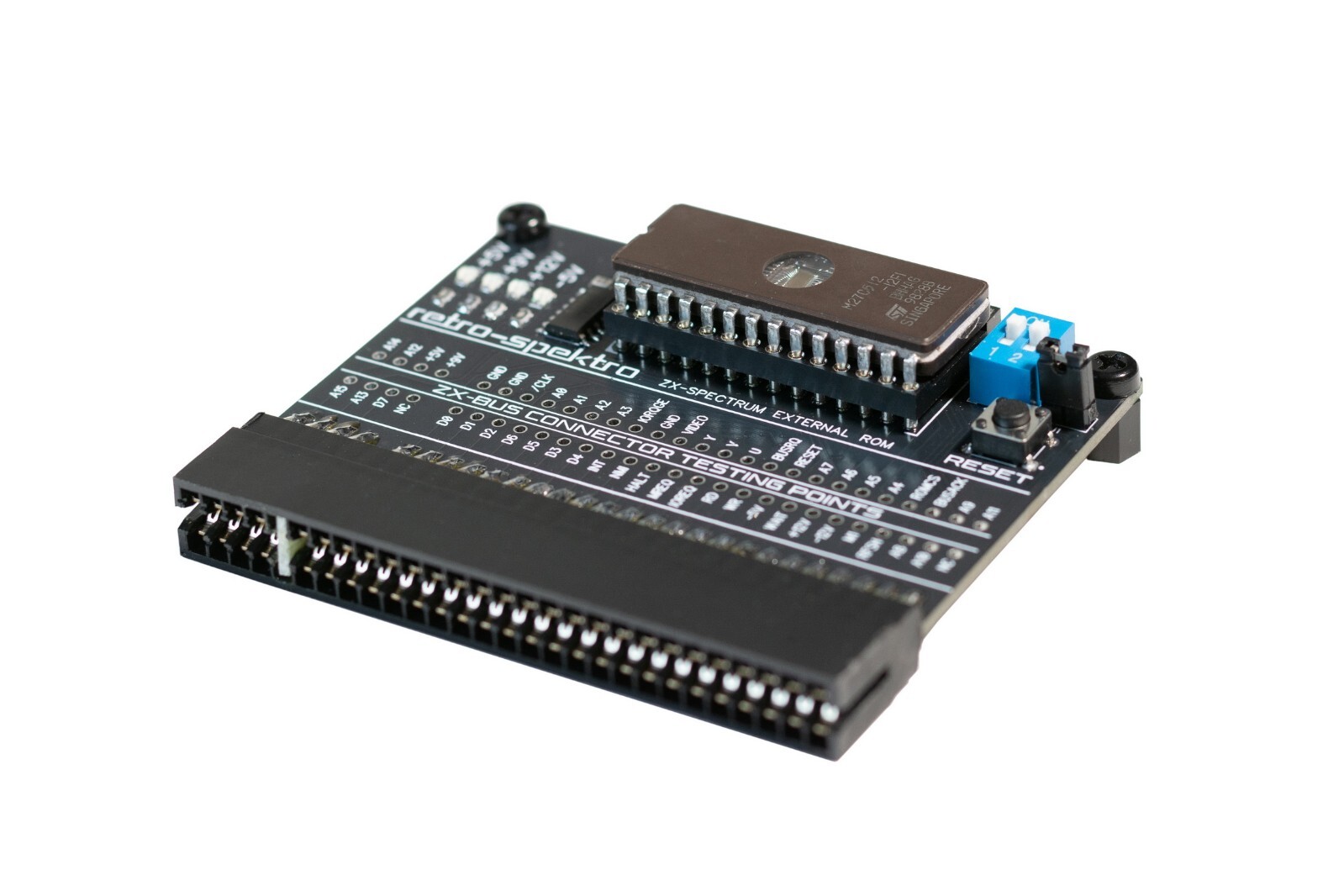
The interface allows you to connect an external ROM on ZX-Spectrum machine and run four different ROMs of the computer instead of the originally built-in one.The interface uses a 64K x 8-bit memory organization system, e.g. EEPROM W27C(E) 512 – 4 banks 16KB each, switched with DIP switch, which gives us the opportunity to run 4 different ROMs.It used for service diagnostics of ZX-Spectrum computers: memory, ULA, keyboard, EAR/MIC, image and sound. It also allows you to run modern, alternative ZX BASIC ROMs, improved over the original version from 1982.(You may uploading your ROMs in memory, supports EPROM chips: 27C512 (64 kB – 4 banks), 27C256 (32 kB – 2 banks), 27C128 (16 kB – 1 bank). To do this, you need to have a memory chip and a programmer, the original ROM we flashed can be removed, it is installed in a reusable panel)
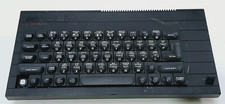
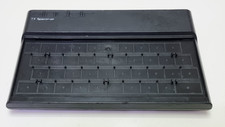
The interface will work properly with computers
- ZX Spectrum 48/+/128
- ZX Spectrum +2
- Timex 2048
- Harlequin 48/128
- Sizif-512
The interface does not work with ZX Spectrum 128 + 2A / B and +3 computersSW switch optionWhen a switch ON, it will enable the integrated diagnostics software.When a switch is OFF, it will have the ZX Spectrum boot as normal.
TestingMount the interface to the ZX Spectrum edge connector with the power switched offUse the ROM SELECT switch S1 to select one of the four ROM banks you wish to usePower on computer
Including EPROM with the interface, on which the following programs are installed:
- Brendan Alford’s diagnostics ROM
- Retroleum DiagROM – diagnostic software
- Ian Logan ZX Spectrum Test ROM – diagnostic software
The interface comes with the ZX Spectrum Diagnostics software, developed by Dylan Smith and Brendan Alford.
There are more features that you can launch with holding a key directly after powering up – this is shown on screen. Hold the key until the specific feature is started
Power signal indicator LEDsThe green LEDs show if the voltages are present.
Testing pointsFor ease of testing, we have output all connector signals, so you can check the supply voltages of all data buses, etc.
Lower RAM testsWhen the interface boots up, the integrated Diagnostic Tools will start with testing ‘lower RAM’.When it finds a fault, it will most often indicate which data lines do not ‘work’ (where it is not getting data from or storing data to correctly).
Sometimes it’s not a chip that is defective, but the feeding voltages are unstable.
Always replace all original electrolytic capacitors first when this kind of fault is detected.Another cause of lower memory errors can be a failing address line or something else like a problem with the control signals to the memory chips.Also the ULA chip could be faulty.The best way to check is not by putting in another ULA in the board with the problem. Instead of put the potentially defective ULA chip in a working board to test it.
Upper RAM testsWhen an error is detected, it will often show which chip is actually faulty.Is when working on an original 16/48K machine, or a 128K+ toastrack.When using the intarface on a Harlequin boards, these chip numbers obviously do not make any sense (it does that since it detects the machine by the used ROM, so the interface may think your Harlequin board is actually a real ZX Spectrum).
Go to retro-spektro site and read manual.
LOT - 1pcs External Diagnostic ROM Cartridge
ATTENTION - ZX-SPECTRUM not included !!!
If you buy more than 1 of my item, I will do combined shipping and reduce the shipping cost.
Every device is fully tested on original hardware before shipping and carefully packed.Retro computers and vintage peripherals are over 30–40 years old. Correct operation of accessories depends on the condition of the original computer.If you have any questions or experience any difficulty after receiving your order, please contact me first. I am always happy to help with installation, setup or troubleshooting.Thank you for your purchase and for supporting classic computing!
IMPORTANT INFORMATIONInternational shipments may require additional time due to customs inspection or local postal processing. Delivery times are outside the seller's control.Tracking is provided and will remain active until delivery. In some cases, tracking updates may be delayed while the item is being processed by customs or the local carrier.If you have any questions about your shipment, please feel free to contact us before opening a case.
EU buyers:From July 2026, some EU countries may collect additional import, customs clearance, postal handling or newly introduced EU customs fees upon delivery, even if VAT has already been collected by . These charges are determined by the destination country and are not controlled by the seller.If collected VAT during checkout and your local customs or postal service requested an additional payment, please contact Customer Support or your local postal service for clarification, as the seller does not receive these payments.
ALL ITEMS ARE WELL PACKED TO AVOID DAMAGE DURING SHIPPING.ALL GOODS ARE SHIPPED BY REGISTERED MAIL WITH A TRACKING NUMBER.