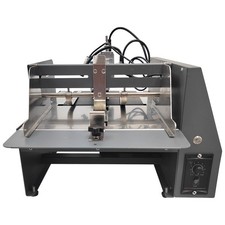
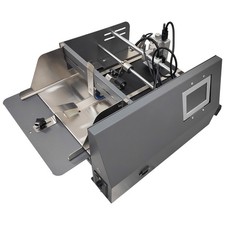
TECHTONGDA® Automatic Paging & Inkjet Printer – Technical Documentation TECHTONGDA® Automatic Paging Machine · Friction Feeder Inkjet Printer · Desktop Integrated 220V Product Overview
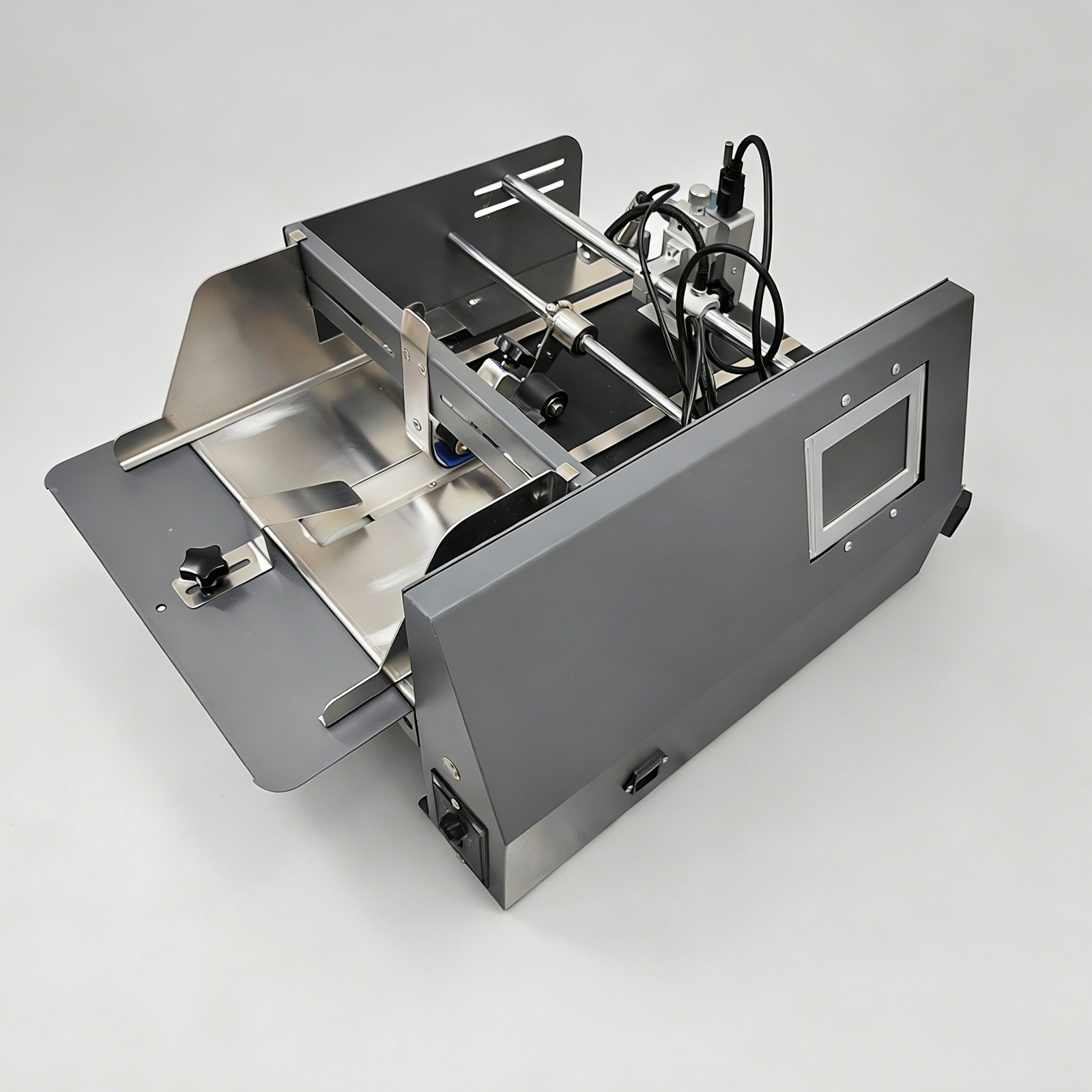
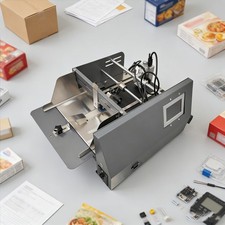
The automatic paging and inkjet printing integrated machine is a professional printing device specifically designed for automatic paging and inkjet printing. It is used to automatically separate the stacked packaging bags or cards, send each single piece or page to the conveyor belt, and then print the production date, batch number, anti-counterfeiting marks, patterns and other information through the inkjet printer, thereby reducing the complexity of manual paging, giving full play to the advantages of high-speed printing of the inkjet printer, improving the inkjet printing efficiency, and facilitating production operation and management. The automatic paging and inkjet printing integrated machine can be widely applied to the industries of packaging, printing, food processing, electronics, light manufacturing, etc.
Product Parameters Power supplyAC220V Single-phase Machine materialMetal material (with surface paint) Inkjet printing distance2-5mm (0.07-0.2 inch) Motor power60W Belt width235mm (9.2in) External interfacePower supply port, RS232 port, USB port Paging range50-300mm (1.9-11.8 inches) Paging speed33m/min (108.2ft/min) Inkjet printing height2-12.7mm (0.07-0.5 inch) Screen size5-inch resistive touch screen Quick drying colorRed, yellow, blue, green, orange, black, white, invisible Applicable environmentTemperature: 0-40°C
Humidity: 10-80% Operating languages29 languages such as Chinese, English, Russian, French, Spanish, Japanese, Korean and Thai Machine size43*51*29cm (16.9*20.1*11.4 inches) Net weight22.5kg (49.6LBs) Precaution
- 1. Check the levels of ink and solvents to ensure they are within their validity periods. Mixing consumables from different brands is strictly prohibited.
- 2. Clean the nozzle surface and photoelectric sensor regularly to prevent accumulated ink and dust from affecting the detection and printing quality.
- 3. Avoid idling the machine. Stop it promptly when there is no material, so as to reduce wear on the paging belt.
- 4. Do not touch the moving or precision components such as the paging roller and print head during operation.
- 5. Wear chemical-resistant gloves and goggles to avoid contact with skin or eyes when handling ink or solvents. Do not cut off the power directly, as this may cause nozzle blockage.
- 6. Unauthorized disassembly of the nozzle, circuit board or internal components by non-professionals is strictly prohibited. Do not bump or wipe the nozzle forcibly.
Key Features
- High Working Efficiency: The machine supports stepless speed regulation and adopts a high-power motor to ensure strong power and fast paging speed.
- Wide Application Range: Suitable for paging and inkjet printing of paper packaging, plastic films, aluminum foil bags, kraft paper bags, cartons, cards, etc.
- Adjustable Inkjet Printing Position: The horizontal distance between the guide plates can be freely adjusted according to the product dimensions, and the print head can also be moved left and right to meet customers' printing needs.
- Clear and Precise Printing Effect: Thermal foam print head provides high-definition resolution, supports up to 600 DPI inkjet printing. Inkjet printing is triggered by photoelectric induction, ensuring precise and deviation-free positioning.
- Diverse Printing Content: Supports printing of texts, variable dates, variable time, graphics, logos, barcodes, QR codes, counting, etc., with data import via USB flash drive.
- Sturdy Machine Body: Metal construction, sturdy and durable, not prone to rusting or deformation; reasonable structural design makes replacement of wearing parts easy and quick.
Component Features Speed Regulator
The speed regulator adopts the knob structural design, is convenient to adjust and use and achieves precise control over the running speed.
Touch Screen
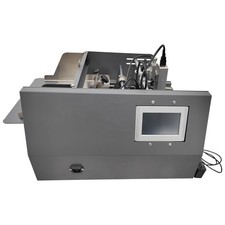
The 5-inch high-definition touch screen is adopted to set and edit the printing content and parameters as needed, and is quick in response.
Feeding Inlet
The feeding inlet is equipped with two fixing plates to effectively limit the to-be-printed matter and prevent the material from deviation during feeding.
Conveyor Belt
The conveyor belt is flexible and durable, resistant to wear and long in service life, and can smoothly and continuously convey the separated materials one by one.
Print Head
The print head is convenient to move and good in printing effect. The ink cartridge can be conveniently clamped and released, and operation is easy and effortless.
Photoelectric Sensor
The photoelectric sensor can give a quick response to instructions, has high sensitivity and reliability and effectively improves the induction quality and efficiency.
Operation Method
- 1. Connect the machine to the 220V single-phase power supply with reliable grounding.
- 2. Connect the printing cable to the print head, tighten the fixing screw and move the print head and the photoelectric sensor left and right as needed.
- 3. Remove the clip and install the ink cartridge.
- 4. Adjust the inkjet printing distance through the fine adjustment device.
- 5. Adjust the baffles to adapt to the to-be-printed materials, and press down the battens.
- 6. Turn on the power switch, and test paging operation.
- 7. Edit the print content on the touch screen. Or connect the USB disk and import pictures to the touch screen.
- 8. Start the conveyor belt, feed the to-be-printed materials and start paging and printing.
- 9. Collect the printed materials through the collecting part.
- 10. After completing inkjet printing, remove the ink cartridge, turn off the power and clean the machine thoroughly.
Product Display Items Included (230615) Components
1 × Desktop Paging and Inkjet Printing Integrated Machine 220V
Shipping & Handling Details Default ShippingFree shipping for lower 48 United States by UPS Ground or USPS. Other areas or needs other shipping ways, please contact us. Remote AreasBuyers from Guam, Puerto Rico, Virgin Islands, American Samoa, Alaska, Hawaii, PO Boxes, APO/FPO addresses or other countries/areas — extra shipping costs apply; contact us for details. Address ValidationEnsure address is valid for UPS and USPS services. Costs incurred because of incorrect or undeliverable address are buyer's responsibility. Handling TimeShipping is usually made in 1-3 business days after payments cleared. Orders processed Monday-Friday; not on weekends & public holidays. Sales Tax / CustomsAny sales taxes or Customs duties are not included. If incurred, they must be undertaken by the buyer. Damage In ShippingEmail or call us first! We will work with you to get the case resolved in the fastest method. Return & Refund Policy Return Period30 days from delivery date. Items must remain unused with original packaging intact. Partial refunds may apply for opened items based on condition assessment. Customer-Initiated ReturnsReturn shipping costs and original shipping fees remain customer responsibility. A 15% restocking fee applies to customer-initiated returns. Seller Error ReturnsFull refund including shipping costs provided for returns resulting from seller error. Return AuthorizationContact customer service for Return Authorization (RA) number prior to returning items. Defective ProductsProvide photographic or video documentation of damaged or defective items within 7 days of receipt. Replacement or refund provided for verified cases. Warranty & Technical Support Warranty Period6 months warranty coverage for mechanical components (excludes consumable items). Technical support remains available beyond warranty period. Warranty ShippingCustomer responsible for shipping costs to service center for warranty claims. Return ShippingSeller covers return shipping costs for warranty repairs. Customer SupportContact us for any operational concerns. We are committed to customer satisfaction and providing the best purchase experience. c — technical documentation style · TECHTONGDA®
On Mar 24, 2026 at 23:36:52 PDT, seller added the following information: