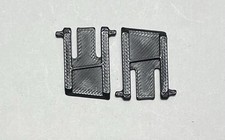
3D Printed HP SK-2060 Keyboard Replacement Feet / Legs / Stands PETG - Pair of 2 For Sale
When you click on links to various merchants on this site and make a purchase, this can result in this site earning a commission. Affiliate programs and affiliations include, but are not limited to, the eBay Partner Network.
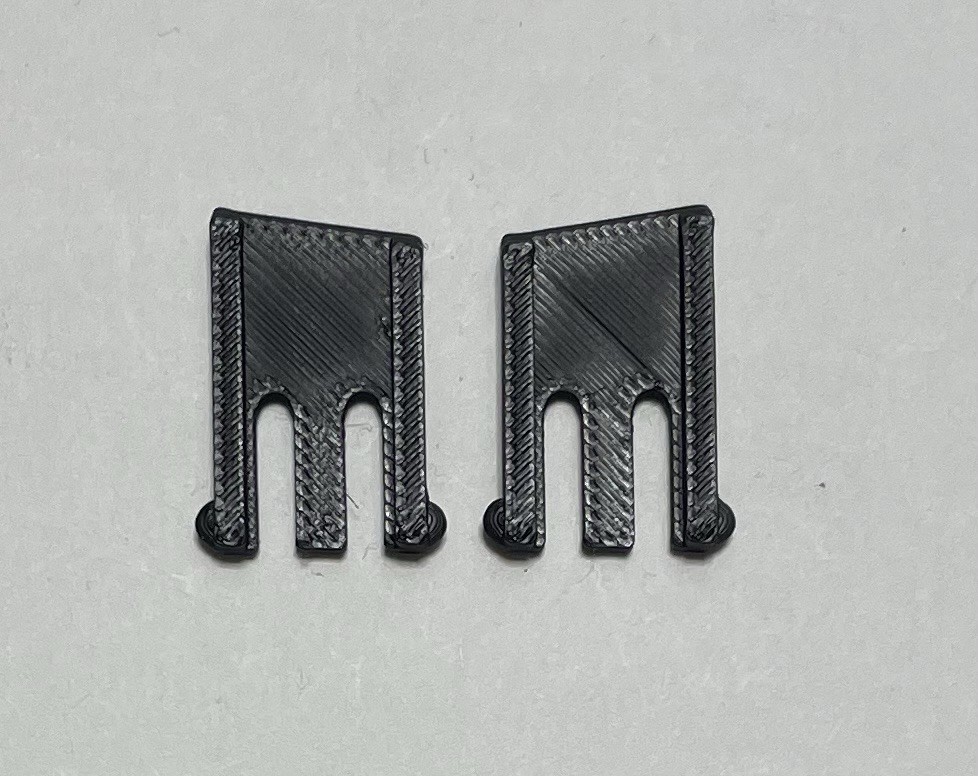
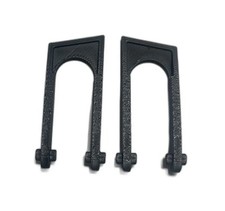
3D Printed HP SK-2060 Keyboard Replacement Feet / Legs / Stands PETG - Pair of 2
Price: US $9.50
3D Printed HP SK-2060 Keyboard Replacement Feet PETG - Pair of 2
Premium PETG replacement feet for HP SK-2060 keyboard — restore stability and desk grip to your office keyboard. Professional-grade durability engineered for daily workplace use.
⚠ IMPORTANT
This is a3D printed replacement part, not genuine HP OEM.
Printed in premium PETG — engineered for durability far exceeding HP's original plastic feet.
Pair of 2 feet— complete foot set for your HP SK-2060 keyboard.
Installation: Snap-fit replacement — no adhesive or tools needed.
Perfect for HP SK-2060 owners who need reliable replacement feet for office and home work.
Part Details
Keyboard Model:HP SK-2060 (office keyboard)
Material:PETG (professional-grade plastic — exceeds HP original specifications)
Color:Black (matches HP SK-2060 finish)
Quantity:Pair of 2 feet (front and rear tilt adjustment points)
Grip Surface:Textured finish prevents keyboard sliding on desk
Installation:Snap-fit replacement — no modifications or tools required
Why SK-2060 Feet Wear Out
Constant office use:The SK-2060 is used in offices with continuous daily typing — this stresses the feet rapidly
Thin plastic fails:HP uses minimal plastic feet — they become slick after months of office use
Keyboard slip during work:Worn feet cause keyboard to move across desk during typing — affects hand positioning and comfort
Tilt adjustment loss:When feet wear, the keyboard loses proper tilt support — reduces ergonomic positioning
PETG Professional Grade vs HP Original
Office durability:PETG won't wear smooth like thin plastic — maintains grip through years of daily office use
Keyboard stability:Locked-down feet keep your SK-2060 positioned correctly during all-day typing
Tilt support restored:Proper foot height allows correct angle adjustment for ergonomic work positioning
Professional reliability:Office keyboards need professional-grade feet that last
Ergonomic improvement:Stable keyboard = better typing position = improved comfort and productivity
Remote work reliability:Work-from-home setups need keyboards they can depend on
Ergonomic support:Proper keyboard height = healthier wrists during extended work sessions
Cost-effective solution:Extend your SK-2060's life instead of buying a replacement keyboard
HP SK-2060 Compatibility
HP SK-2060 keyboard (all variants)
Designed specifically for SK-2060 mounting points
Installation Instructions
Turn your HP SK-2060 upside down — you'll see two tilt feet (one at front, one at rear).
Gently pry out the original feet using a flat tool (plastic spoon, card, or flathead screwdriver).
Clean any debris from the mounting holes on the keyboard base.
Align each new PETG foot with its mounting point and snap firmly into place — you should hear/feel a click.
Flip the keyboard right-side up and test tilt angles — feet should lock smoothly at all positions.
Your SK-2060 is now restored to full functionality with professional-grade feet.
Who This Is For
Office workers using HP SK-2060 keyboards in the workplace
Remote workers with SK-2060 keyboards in home office setups
Anyone with an SK-2060 whose feet have worn or lost stability
Professionals who need reliable keyboard support for all-day typing
HP is a registered trademark of Hewlett-Packard Company. This product is a third-party replacement accessory and is not affiliated with, endorsed by, or manufactured by HP. Product names are used for compatibility reference only.