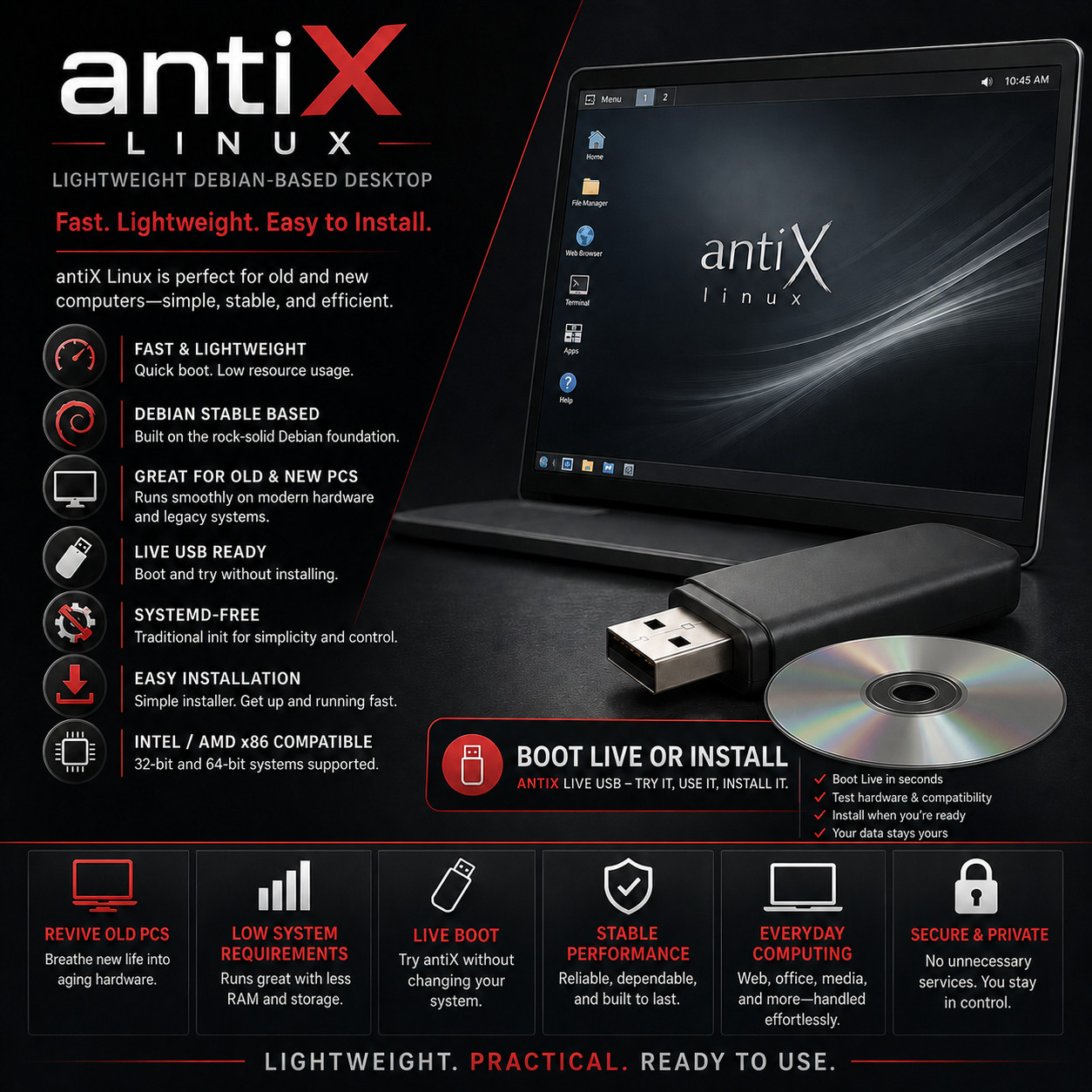
Lightweight Debian-Based Desktop antiX Linux BOOT · TRY · INSTALL · REVIVE The desktop that gives a fifteen-year-old computer a second working life. For 32-Bit & 64-Bit PCs Runs From 256 MB RAM Systemd-Free · 5 Init Systems Live Boot & Installer Choose your media at checkout · USB flash drive — carries both the 64-bit and 32-bit builds. DVD — pick 64-bit or 32-bit at checkout. Try It Without Changing Anything Boot the media and the whole desktop runs from it — open the browser, play music, check that your wifi and printer are recognised. Nothing on your hard drive is touched until you decide to install. Take the media out and the computer starts up exactly as it did before.
antiX is a lightweight desktop operating system built on the Debian Stable foundation, made for people who want a computer that starts quickly and stays out of the way. It is deliberately frugal: it will run on a machine with 256 MB of memory, it boots in seconds, and it leaves the processor and the memory available for the work you actually came to do. That makes it equally at home breathing life back into a laptop that has become unbearably slow and running lean on a brand new machine. This prepared media lets you boot it on practically any Intel or AMD PC to try it first, then install it permanently if you like what you find.
Why This Edition Stands Out 💾 Plug-in-and-boot ready media Written, tested and verified before shipping. No ISO downloading, no disc burning, no flashing software to learn — plug it in or drop it in, restart, and pick it from the boot menu. 🧩 Both builds on the USB Choose the USB and you get the 64-bit build and the 32-bit build on one drive, picked from a boot menu — so a single purchase covers the newer laptop and the ancient tower in the loft. The DVD carries whichever build you select at checkout. 🪶 Genuinely light, not just marketed as light The project documents a floor of 256 MB of memory with swap configured, and 512 MB as the comfortable minimum. Very few desktops still aim that low and mean it. 🔍 Try it before you commit The live session runs the complete desktop straight from the media, so you can confirm your wifi, sound and graphics work on that specific machine before a single file on the disk changes. 📚 Step-by-step PDF setup guide A screenshot-driven "Read Me First" guide ships on the media — boot-menu keys for major laptop brands, the live session, and the install walked through screen by screen. 🚀 Always the latest stable release The media is rebuilt as new stable versions ship — you receive the current stable build at order time, not a years-old archive. What makes antiX different ⚡ Built to be frugal from the ground up This is not a normal desktop with the effects switched off — it is assembled from lightweight parts throughout, from the window manager to the file manager to the background services. The result is a machine that boots in seconds, wakes instantly, and leaves its memory and processor available for your browser and your work rather than for itself. 🖥️ Four desktops in the box — pick the one you like IceWM is set up and ready as the default, with a familiar menu button, a taskbar and desktop icons that anyone who has used a computer will recognise. Fluxbox, JWM and herbstluftwm are installed alongside it, so you can log out, choose a different one, and log back in to a completely different feel without reinstalling anything. 🧰 A full office suite and the everyday tools, already installed The full edition arrives with a complete office suite for documents, spreadsheets and presentations, plus a web browser, a mail client, media players for music and video, an image viewer, an archive manager, a file manager and a terminal. It is a working computer from the first boot, not a starting point you have to spend an evening assembling. ⚙️ Systemd-free — and you choose the init system antiX does without systemd and elogind entirely, which is the main reason a certain kind of user seeks it out. In their place the current release offers five different init systems — runit as the default, plus sysVinit, dinit, s6-rc and s6-66 — selectable at boot. Whether you simply want something smaller and more predictable, or you genuinely want to choose how your machine starts, the choice is yours rather than the distribution's. 🧬 Debian Stable underneath The foundation is Debian Stable, which is about as well-tested and unexciting as software gets — exactly what you want holding up a machine you rely on. It also means access to one of the largest software collections in the Linux world, so almost anything you go looking for is a package install away. 🔌 Serious live-boot tooling antiX has been refining its live system since 2009 and it shows. Beyond simply booting, the live environment can save your changes between sessions with persistence, take a snapshot of a configured system, or remaster the live media itself — so a setup you have tuned to your liking can become the media you carry around. It also doubles as a fast-booting rescue system for a machine that will not start. Plus more inside 🗜️ Real 32-bit support, still maintained A current, actively updated release for 32-bit hardware — something almost nothing else still offers. If you have a machine that everything else has abandoned, this is the point of the exercise. 💽 Modest on disk too A hard-drive installation needs around 7 GB, so an old laptop with a small or half-full disk has room for the system and your files both. 🧭 Install alongside, or replace The installer can set up a dual-boot next to the system already on the machine, or take the whole disk — and it tells you plainly which one you are choosing before it does anything. 🛟 Doubles as a rescue disk Because it boots fast and reads most drives, the live session is a practical way to recover files from a computer whose own operating system has stopped starting. 🎛️ Control panel for the fiddly bits A single control centre gathers the settings that usually mean hunting through configuration files — display, network, sound, users, drivers and system tweaks in one window. 📡 Wireless that generally just works Broad wireless support is built in, which matters most on exactly the sort of old laptops this is aimed at. 🔒 No unnecessary services running Nothing is phoning home, no advertising identifier is following you, and no account is required before your own computer will let you work. What runs is what you asked for. 🌍 Multi-language ready Pick your language and keyboard layout at boot or during installation, and the desktop follows. Who it's for 💻 Old and tired laptops The classic case. A machine that takes four minutes to reach a usable desktop is usually fine hardware carrying a system far too heavy for it. 🔧 Tinkerers & builders Choice of init system, four window managers and remastering tools — for people who like the machine to do what they told it. 🛠️ Technicians & refurbishers A fast live system for rescuing files, testing hardware, and putting a workable desktop onto machines destined for resale or donation. 🏫 Schools & community projects Donated computers of wildly different ages, all running the same current, supported system — with an office suite ready on each one. What you receive in the mail
1 × USB flash drive or DVD — your choice at checkout. Either way it is preloaded with the current stable antiX full edition, bootable as a live session you can try and as a full installer: - USB — carries both builds, 64-bit and 32-bit, selected from a boot menu when you start it
- DVD — carries the one build you select at checkout, either 64-bit or 32-bit
- Not sure which build you need? Choose the USB and the question answers itself — or message us with the make and model before ordering and we will tell you
- Step-by-step setup guide with screenshots — open the "Read Me First" PDF on the media
- Quick reference card — boot-menu keys for major laptop brands and a one-page tour of the desktop
Compatibility Requirement Supported Architecture Intel and AMD x86. The USB carries both the 64-bit and 32-bit builds; the DVD carries the single build you select at checkout. Memory Runs on machines from 256 MB of RAM with swap configured. 512 MB is the recommended minimum, and anything above that is comfortable. Storage A hard-drive installation needs a minimum of 7 GB. Nothing is written to your disk if you only run the live session. Boot mode UEFI and legacy BIOS — which is what lets it start on machines far older than UEFI itself. Secure Boot may need to be turned off; the included guide shows where. Desktop IceWM by default, with Fluxbox, JWM and herbstluftwm also installed on the full edition Init systems runit (default), sysVinit, dinit, s6-rc and s6-66 — no systemd, no elogind Internet Not needed to boot the live session or to install. Wired and wireless are both supported for when you want it. Drive USB port (USB option) or a DVD drive (DVD option). The full edition image is over 2 GB, so a CD drive is not sufficient for the disc version. How it works (3 steps) 1 Plug in & boot Insert the USB or DVD, restart, and pick it from the boot menu. On the USB you then choose the 64-bit or 32-bit build to suit the machine. 2 Try the live desktop The full desktop runs from the media. Check the wifi, sound and screen on that exact computer — nothing on the hard drive changes. 3 Install it if you like it Run the installer from the live desktop — alongside the existing system or in its place. It is a short, plain-language process. Owned, not rented No product key. No activation. No account to create before your own computer will let you work, and nothing running in the background that you did not ask for. Install it on as many machines as you like, keep using it for as long as the hardware lasts, and take the updates the project publishes at no cost for as long as you want them. Frequently asked questions 💿 USB or DVD — which should I pick? The USB is the better choice for most people: it boots faster, works on laptops with no optical drive, and carries both the 64-bit and 32-bit builds so you can try either on any machine. The DVD holds a single build, so you choose 64-bit or 32-bit at checkout — pick it if you are reviving an older desktop whose firmware is happier booting from a disc. Note the image is over 2 GB, so a plain CD drive will not read it. 💾 What's on the media? The current stable antiX full edition — four window managers and a complete office suite — bootable as a live session you can try and as a full installer, plus a step-by-step PDF setup guide and a quick-reference card. The USB carries both the 64-bit and 32-bit builds; the DVD carries the one you selected at checkout. 💻 My computer is genuinely ancient — will it actually run? Quite possibly. The project documents 256 MB of memory as the floor with swap configured, and 512 MB as the recommended minimum, with about 7 GB of disk space for an installation. That covers a great many machines written off as too old. The honest answer for your particular computer is to boot the live session on it and see — which is exactly what the try-first step is for. 🛟 Will this erase the system already on my computer? Not unless you tell it to. Booting the media and using the live desktop changes nothing on your hard drive. If you go on to install, the installer asks whether to set up alongside the existing system or take the whole disk, and says clearly which you have chosen. Back your important files up first regardless — that advice holds for installing any operating system. ⚙️ What does "systemd-free" actually mean for me? It refers to the program that starts everything else when the computer boots. antiX leaves out the one most distributions use, in favour of smaller and more transparent alternatives — five of them, chosen at boot, with runit as the default. If that means nothing to you, it costs you nothing: the desktop looks and behaves the same either way, and part of why the system starts so quickly. If it does mean something to you, it is very likely why you came looking. 📄 Can I write documents and open files people send me? Yes — the full edition includes a complete office suite for documents, spreadsheets and presentations, which opens and saves the common formats in circulation. A web browser, mail client and media players are installed as well, so it is ready to work with from the first boot. 🖥️ Which desktop do I get, and can I change it? IceWM is the default — a menu button, a taskbar and desktop icons, familiar to anyone who has used a computer before. Fluxbox, JWM and herbstluftwm are installed too; log out, pick a different one, log back in, and the machine feels entirely different. Nothing is reinstalled and nothing is lost. 💻 Can I use it on more than one computer? Yes — boot it and install it on as many machines as you own. There are no activation limits of any kind. 🔑 Does it need a product key, activation, or account? No. There is no product key, no activation, and no account registration required to install or use the desktop. 🔁 Do future updates cost anything? No. The project publishes updates at no cost — security patches and new versions alike — for as long as you want to keep the system current. 📦 We ship as soon as paid Boot it. Try it. Keep the old machine. Light enough for the laptop you were about to throw away. Have a question? Please do not hesitate to message us before purchasing.
This listing is for professionally prepared physical media. Your USB or DVD arrives preloaded with the operating system, setup guide, and quick-reference card, ready to use. You are paying for the prepared media and the sourcing, organisation, packaging, and shipping that goes into it, not for software licenses.
Condition: brand new prepared USB drive or DVD. Professionally assembled, tested, and verified before shipping.
Important notes: this is a prepared physical USB or DVD device, your choice of media at checkout. Includes software released under its applicable licenses, prepared and organised for ease of installation. No product keys or paid software licenses are included or required to use the software. For use on systems you own or are authorized to service. Installing an operating system can overwrite existing data — please back up anything important before you begin. The purchase price reflects the cost of the prepared media, the sourcing and organisation of the contents, packaging, and shipping, not a license to the underlying software. Only items shown or described are included.