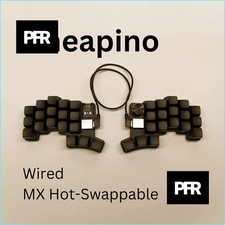
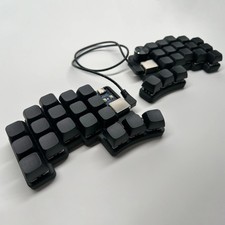
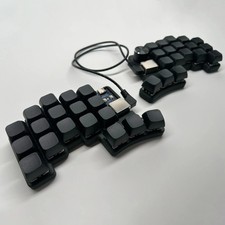
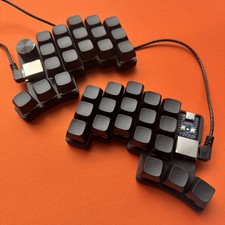
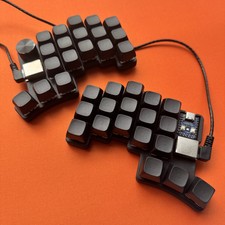
⌨️ Cheapino V2 Split Mechanical Keyboard
Ergonomic Design • Hot-Swappable • Fully Programmable
Why Choose Cheapino V2?🎯 Ergonomic Split Layout
Minimizes finger movement and reduces wrist strain. All keys within natural reach for comfortable typing sessions.
🔄 Hot-Swappable Switches
Change MX-style switches anytime without soldering. Customize your typing experience on the fly.
🎛️ Built-in Rotary Encoder
Convenient knob for volume control, scrolling, and custom functions. Fast adjustments at your fingertips.
⚡ QMK + Vial Firmware
Powerful RP2040 controller with full customization. Live key remapping without flashing firmware.
🔇 Silent or Smooth Options
Choose Silent Peach switches for quiet typing or Graywood for creamy, smooth keystrokes.
🔧 Easy Assembly
Screwless snap-fit 3D printed case. Safe RJ45 connection between halves. Ships pre-assembled and flashed.
Technical SpecificationsControllerRP2040 Zero MCU with 2MB FlashFirmwareQMK with Vial SupportConnection TypeWired USB-CSwitch CompatibilityMX-Style Hot-SwappableKeycap ProfileXDA Profile (Complete Version)Case MaterialFDM 3D Printed Matte PLAHalf ConnectionRJ45 Cable (0.5m CAT6 Included)LayoutCompact Split ErgonomicProgrammabilityFully Customizable via VialWhat's Included📦 Bare Keyboard Version:
- Fully assembled and flashed keyboard (both halves)
- 0.5m CAT6 cable for connecting halves
- No switches or keycaps installed
📦 Complete Keyboard Version:
- Fully assembled and flashed keyboard (both halves)
- Your choice of switches pre-installed
- XDA profile keycaps installed
- 0.5m CAT6 cable included
- Ready to use out of the box
Product Images❓ Can I change the switches later?
Yes! The keyboard features hot-swappable sockets, so you can swap MX-style switches without any soldering.
❓ Do I need to flash firmware to customize keys?
No! With Vial support, you can remap keys in real-time using the Vial software (get.vial.today). No flashing required.
❓ What's the difference between versions?
Bare Keyboard comes assembled but without switches/keycaps. Complete Keyboard includes your choice of switches and XDA keycaps pre-installed.
❓ Is the case smooth or textured?
The case is FDM 3D printed with matte PLA. You may see visible layer lines, which is normal for this printing method.
❓ What cable do I need?
You'll need a USB-C cable (not included) to connect the keyboard to your computer. The 0.5m CAT6 cable for connecting both halves is included.