 When you click on links to various merchants on this site and make a purchase, this can result in this site earning a commission. Affiliate programs and affiliations include, but are not limited to, the eBay Partner Network. When you click on links to various merchants on this site and make a purchase, this can result in this site earning a commission. Affiliate programs and affiliations include, but are not limited to, the eBay Partner Network.
- ✅Wide Compatibility --- The USB 3.0 & Type-C Blu ray drive supports a wide range of operating systems, such as Windows XP/2003/Vista/7/8/10/11, Linux, and all versions of the Mac OS system. It is an ideal choice for laptops, desktops, and MacBooks lacking an integrated optical drive. Kindly be aware, though, that it is not compatible with BD recorders, tablet iPads, Surface tablets, TVs, projectors, smartphones, or cars.
- ✅Burning Technology --- The external blu ray burner boasts an expanded storage capacity and accelerated read & write speeds. It facilitates burning functions for CDs and DVDs with capacities of 8.5G, 4.7G, and 700M. The burner's cutting-edge high-speed 3.0 interface & Type-C interface exhibit exceptional error correction capabilities, impact resistance, minimal noise, and low power consumption.
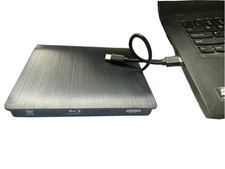
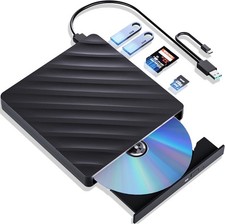
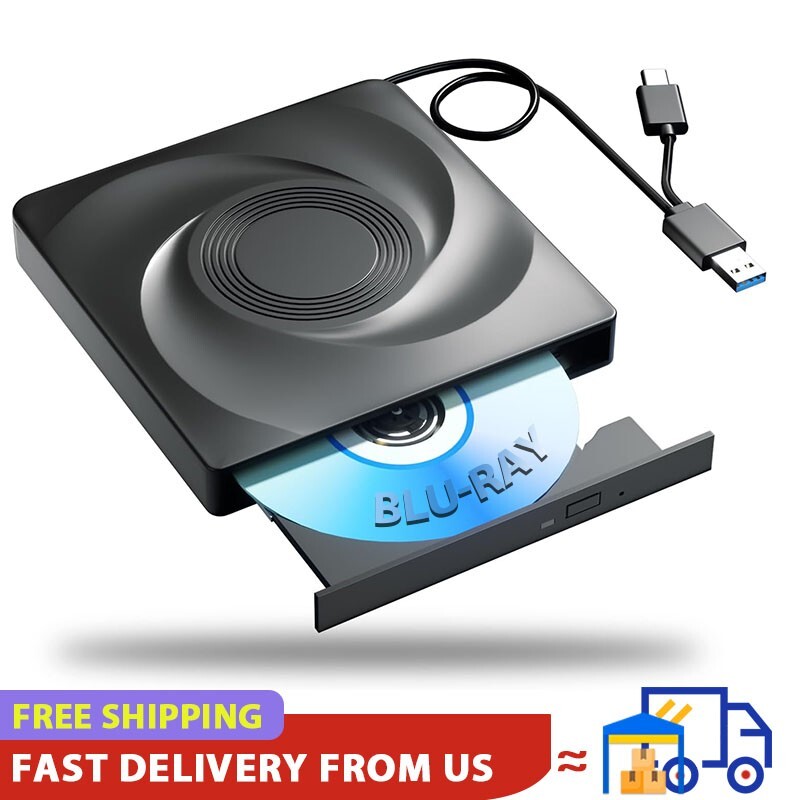
- ✅Portable -- This sleek and compact blu ray drive is designed for effortless portability and storage convenience. Its innovative dual-interface design integrates two distinct USB cables into one, enabling seamless connections to computers with either Type-C or USB 3.0 interfaces. With its portable design, it's incredibly simple to carry and use wherever you go.
- ✅Note --- This external bluray drive supports 3D playback, providing you with lifelike clarity that comes close to 4K quality. However, it is important to note that the drive cannot play 4K Ultra HD Discs. Also, please make sure that the playback software installed on your computer is compatible with the Blu ray format. We suggest downloading the free software "Cyberlink BD&3D Advisor" and installing it on your computer to verify whether your computer is equipped for Blu-ray or 3D playback. The software will deliver the outcome of the test.
Warm Tips : 1. This external bluray DVD reader needs to download the Blu ray player software itself before it can read Blu ray DVD. Some software Windows and MAC OS are not compatible,please make sure Blu-ray playback software is compatible with your computer system.(Recommendations are as follows:*Macgo blu-ray Player for MAC OS.*PowerDVD for Windows.*Blu-ray Master is free one for all system.*Burn the Blu-ray disc via the ‘Nero’ burning software.some Blu ray playback software requires a fee.)Player software is NOT included.2. Due to the low voltage conditions of some tablets, this bluray recorder/recorder cannot be used on tablets, such as the Surface series. 3. Please hook up the device to the direct USB port on your computer. For desktop computers,to the drive work properly, please make sure connect the device to the USB port on the motherboard. If you connect it to a USB hub or extension cable, you may not be able to recognize the drive or read the BD, CD/DVD. 4. The Bluray DVD Drive does not play 4K Ultra HD Discs.and it do not support for TVs, car, phone,tablet,chromebook and projectors. 5. For better performance, we recommend you connect the power cable during use. 6. Block the region code. If the copyright-protected Blu-ray disc with a region code may not be used, you can encode the region code by downloading the block software ‘Any DVD’. Troubleshooting Steps1. Pls check if the optical drive is being recognizes by your computer. Do not connect USB extension hub.For Windows OS:You can see the BD RW icon in Windows Explorer. Use the data cables on the back (bottom) of the optical drive to connect your computer's USB port or desktop computer host. We have a power cord that we recommend using together. Windows 10/11 requires downloading playback software.For Mac OS:The Mac OS computer will not display the device icon until the disc is placed in the optical drive and the disc is read successfully.2. Pls check the Device Manager: If the optical drive displays a yellow exclamation mark or question mark, there may be a driver issue. You need to right-click and select 'Update Driver', or uninstall the driver and restart the computer, then connect the optical drive, and the system will reinstall the driver automatically.3. Pls check the BIOS settings: Enter the computer's BIOS settings interface to see if the optical drive is disabled. If it is disabled, enable it.4. Please ensure that the optical drive is clean: As any dirt may prevent it from functioning correctly. It is recommended that a professional optical drive cleaner or cotton swab be used to gently clean the read-write head of the optical drive.5. Unable to eject disc: Please right-click on the “BD-R” folder, select the "Eject" option, wait a few seconds for recognition, and the disc will automatically eject.  |
|