Linux Mint 22.3 Cinnamon 64-Bit — Bootable USB
Want to give an older PC a new lease on life?
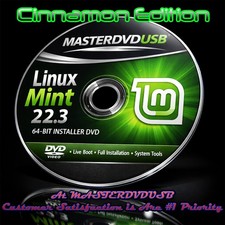
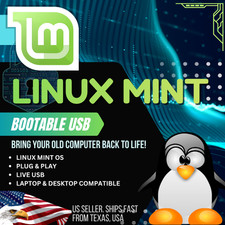
This bootable Linux Mint 22.3 Zena Cinnamon 64-bit USB flash drive is prepared and ready to use. Plug it into a compatible computer, boot from the USB, and you can try Linux Mint Live before installing it.
No installation is required just to try it.
WHAT YOU GET
- Linux Mint 22.3 "Zena"
- Cinnamon Desktop
- 64-Bit
- Bootable USB Flash Drive
- Live Mode — Try Before Installing
- Installation option included
- USB is prepared and tested for booting
TRY IT BEFORE YOU INSTALL
One of the best things about Linux Mint is that you don't have to immediately replace your existing operating system.
Boot from the USB and choose the Live option to explore the desktop, connect to the internet, check your hardware and get a feel for Linux Mint.
If you decide you like it, you can proceed with installation.
Live mode does not install Linux or erase your existing files.
GREAT FOR
- Older laptops and desktop PCs
- Windows 10 users looking for an alternative
- Everyday web and office work
- School and home computers
- Streaming and general computer use
- Anyone wanting to try Linux without downloading and creating their own bootable USB
Linux Mint's Cinnamon desktop is familiar and easy to navigate, making it a popular choice for people moving from Windows.
SIMPLE BOOT PROCESS
- Insert the USB drive.
- Restart the computer.
- Open the computer's Boot Menu.
- Select the USB drive.
- Choose Try Linux Mint to enter Live Mode.
- Install only if you decide you want to.
Common Boot Menu keys include F12, F11, F10, Esc, or Del, depending on the computer.
PLEASE CHECK BEFORE BUYING
This is a 64-bit operating system.
Your computer should:
- Support 64-bit operating systems
- Be capable of booting from USB
- Meet the hardware requirements for Linux Mint
Some computers may require a BIOS/UEFI setting to be changed before booting from USB. Secure Boot can also affect Linux booting on some systems.
Chromebooks and certain locked-down computers may require additional steps and are not guaranteed to work.
IMPORTANT
This listing is for a prepared bootable USB and preparation service.
Linux Mint is free and open-source software. You are not purchasing a proprietary Linux Mint software license.
Linux Mint is a trademark of the Linux Mint project. This listing is independently prepared and is not affiliated with, sponsored by, or endorsed by the Linux Mint project.
WHAT'S INCLUDED
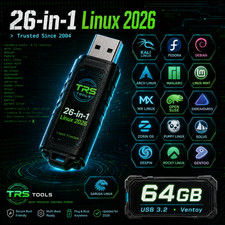
1 × Bootable USB Flash Drive
Preloaded with:
Linux Mint 22.3 Zena — Cinnamon — 64-Bit
The USB is prepared and tested so you can get started without having to download the ISO and create your own bootable media.
WHY BUY A PREPARED USB?
You could download Linux Mint and create your own bootable drive.
Or you can skip the extra steps.
This USB arrives ready to go, giving you a simple way to:
Plug in → Boot → Try Linux Mint → Install if you like it
Linux Mint 22.3, Linux Mint Zena, Linux Mint Cinnamon, Linux Mint USB, Linux Mint 64 bit, bootable Linux USB, Linux boot USB, Linux Mint installer, Linux Mint live USB, Linux Mint flash drive, Cinnamon Linux, 64-bit Linux, bootable USB flash drive, Linux operating system, Linux OS USB, Windows alternative, revive old PC, Linux for older computers, live boot USB, Linux installer USB, computer recovery USB