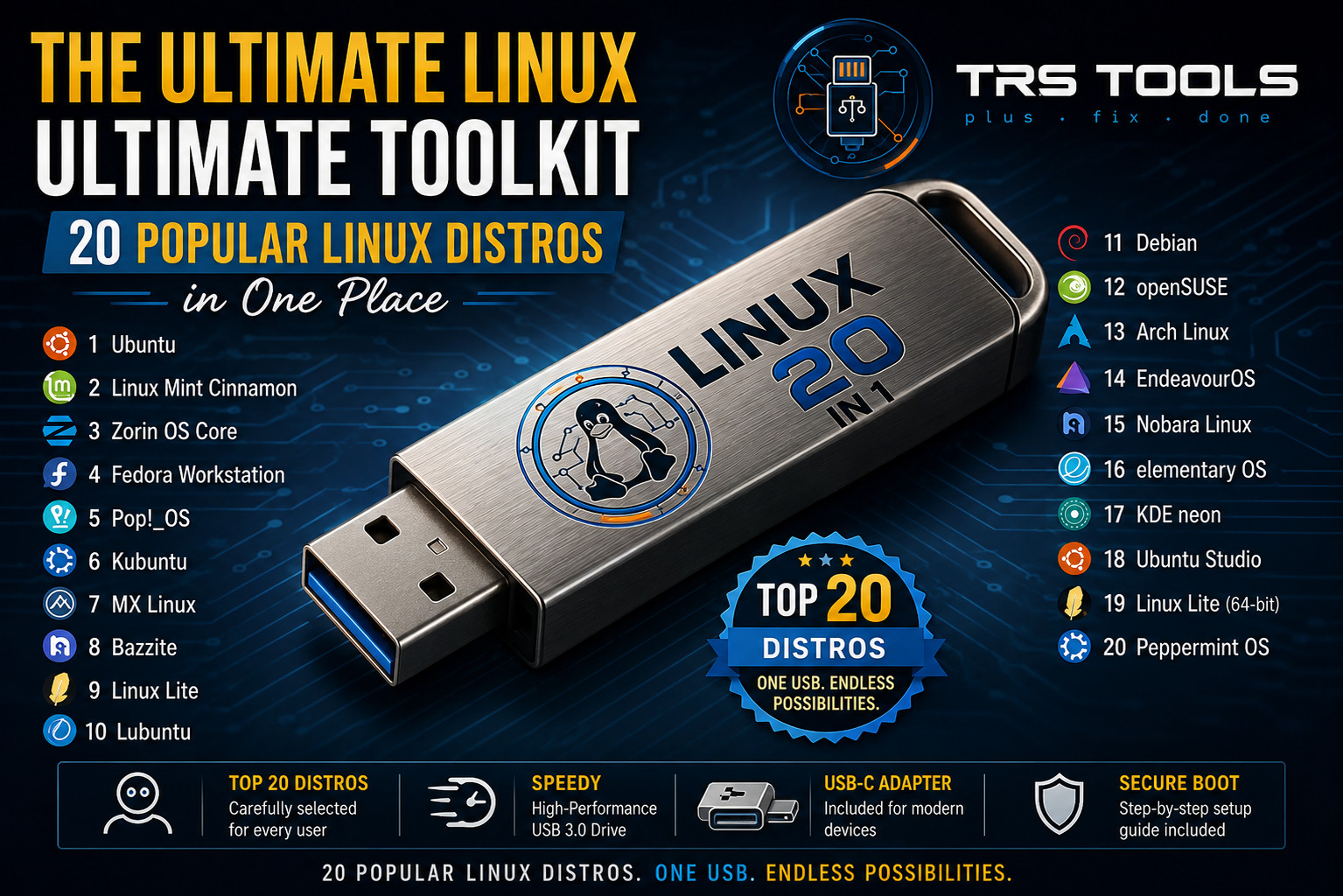
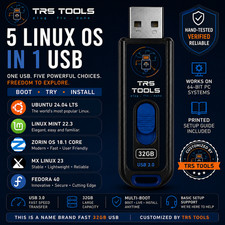
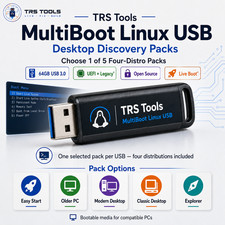
TRS TOOLS® 20-in-1 Ultimate Linux Multi-Boot USB Drive
Plug . Fix . Done
Simplify your technical workflow or explore the open-source landscape with the ultimate pre-configured multi-boot system tool. Prepared and optimized by an IT professional with over 30 years of hands-on industry experience, this premium toolkit gives you instant access to the world’s leading Linux operating systems right out of your pocket.
Whether you are a system administrator, tech enthusiast, privacy advocate, or looking to breathe new life into older hardware, this live toolkit is engineered to get the job done right.
👑 Why Choose TRS TOOLS?
• 30+ Years of Hands-On IT Expertise: This isn't just a collection of random files thrown onto a drive. Every single boot configuration, menu system, and distribution choice is engineered, thoroughly tested, and optimized by a dedicated IT professional with over three decades of real-world technology experience. You are buying precision, expertise, and rock-solid reliability.
• Ultra-Fast Name-Brand USB 3.0 Hardware: We strictly refuse to use cheap, unbranded, slow-tier flash memory that fails after a few boots. This toolkit is flashed onto a genuine, high-speed, name-brand USB 3.0 drive, ensuring blistering read/write performance, snappy system response, and long-term hardware endurance.
• Plug, Fix, Done Convenience: Skip the hours of downloading massive ISO files, troubleshooting corrupted file systems, or struggling with complex burning tools. We handle the entire complex backend process so you can simply plug in and get straight to work.
📦 What Is Included in This Package?
- 1x Premium 64GB USB 3.0 Type-A Flash Drive: Pre-loaded, fully configured, and live-boot ready.
- 1x Solid USB-A to USB-C Adapter: Ensures seamless compatibility out of the box across older legacy desktops and modern slim laptops.
- Printed Comprehensive Setup Guide: Straightforward instructions to ensure hassle-free booting right from the start.
🚀 The Ultimate 20-Distro Suite Pre-Loaded
No downloading, flashing, or configuration troubleshooting required. Explore the specific capabilities included below:
💻 Everyday & Desktop Powerhouses
- Ubuntu: The gold standard for Linux accessibility. Its massive user base, extensive documentation, and unmatched software compatibility make it the go-to choice for developers and beginners alike.
- Linux Mint Cinnamon: Famous for providing a seamless transition for Windows users. The Cinnamon desktop environment is highly intuitive, polished, stable, and works brilliantly out of the box with minimal tweaking required.
- Zorin OS Core: Engineered specifically to look and feel like Windows or macOS. It focuses heavily on visual elegance, speed, and ease of use, bridging the gap for alternative operating system newcomers.
- Fedora Workstation: The choice of many advanced users, including Linux creator Linus Torvalds. It is backed by Red Hat and acts as a showcase for cutting-edge, innovative open-source technologies while remaining highly stable.
- Debian: Known as the "Universal Operating System," it is legendary for its rock-solid stability and strict adherence to free software principles. It serves as the foundation for dozens of other popular distros (including Ubuntu and Mint).
- Manjaro Linux: Provides the raw power of Arch Linux without the complex installation. It uses an intuitive graphical installer, features its own stable software repositories, and gives users access to the massive Arch User Repository (AUR).
⚙️ Performance & Customization
- Arch Linux: Renowned for its minimalist, do-it-yourself philosophy. Users construct their system from the ground up, resulting in a lightweight, highly optimized operating system that relies on a rolling-release model for the newest software.
- Pop!_OS: Developed by System76, it is highly popular among programmers, data scientists, and creators. It features incredible out-of-the-box auto-tiling windows and excellent native support for both NVIDIA and AMD graphics hardware.
- EndeavourOS: A terminal-centric, rolling-release distribution that acts as a friendly gateway to the Arch Linux ecosystem. It offers a vibrant, helpful community and a minimal, clean starting point.
- openSUSE Tumbleweed: A highly stable, rolling-release operating system famous for YaST (Yet another Setup Tool)—a comprehensive configuration tool that makes advanced system management incredibly easy.
🎮 Gaming & Multimedia Ready
- Bazzite: A specialized gaming distribution built to replicate the seamless SteamOS experience found on the Steam Deck. It is optimized for PC gaming, handhelds, and living room console setups.
- Nobara Linux: A modified version of Fedora specifically optimized for gaming and streaming by "GloriousEggroll" (a well-known Proton developer). It includes pre-configured patches, wine dependencies, and graphics drivers out of the box.
- Ubuntu Studio: The definitive platform for creative professionals. It comes pre-loaded with a massive collection of open-source applications tailored for audio production, video editing, graphic design, and 3D modeling.
🔌 Lightweight & Legacy Revival
- MX Linux: Consistently ranks at the top of distro-popularity lists because it pairs a highly efficient, lightweight desktop environment with a powerful suite of custom troubleshooting tools (MX Tools) that can revive older hardware.
- Linux Lite: Specifically built to be lightweight, fast, and simple. It targets older machines and users looking to transition from discontinued versions of Windows by consuming very few system resources.
- Lubuntu: Utilizes the LXQt desktop environment to achieve an incredibly small resource footprint. It is ideal for low-spec netbooks, older laptops, or embedded systems where every megabyte of RAM counts.
- Xubuntu: Uses the Xfce desktop environment to strike a perfect balance between lightweight efficiency and traditional desktop usability. It is snappy, highly customizable, and extremely stable.
🛠️ Advanced & Development Environments
- Kubuntu: Combines the robust backend of Ubuntu with the stunningly beautiful and highly customizable KDE Plasma desktop interface. It is favored by users who want full control over their visual theme.
- KDE neon: A showcase project directly from the developers of KDE. It pairs an Ubuntu long-term support (LTS) core with the absolute newest, cutting-edge releases of the KDE Plasma desktop software.
- elementary OS: Famous for its strict design guidelines, featuring a custom desktop called Pantheon that resembles macOS. It focuses on privacy, zero ad tracking, and clean, distraction-free aesthetics.
🔧 Key Capabilities
- Boot & Try Safely: Run operating systems completely in live RAM mode without modifying or touching your internal hard drive unless you choose to install.
- System Maintenance: Access a versatile environment perfect for system diagnostics, file rescue, hardware testing, and partitioning configuration.
- Privacy-Focused Browsing: Boot into a secure, sterile environment for secure operations without leaving any local trace on the host machine.
🙋 Frequently Asked Questions Q: Will this modify my existing Windows or macOS files? A: No. By default, these operating systems run in a "Live Environment" completely from your computer's RAM memory. Your internal hard drive and personal files remain entirely untouched unless you explicitly choose to run an installation wizard from inside one of the Linux systems. Q: How do I boot into the TRS TOOLS menu? A: Shut down your computer completely, insert the USB drive, turn the system back on, and immediately tap your machine's specific boot menu key (common keys include F12, F11, F8, or Esc depending on your motherboard). A clear step-by-step printed guide is included in your package to help you through this! Q: What is the purpose of the included USB-C adapter? A: Many modern laptops (like ultrabooks and MacBooks) only feature slim Type-C ports. The high-quality physical adapter allows you to quickly convert the primary high-speed Type-A drive into a Type-C connection, giving you complete universal compatibility across legacy computers and modern rigs. Q: Does this kit support modern Secure Boot protocols? A: Yes, many major distributions contained on this drive natively support mainstream Secure Boot keys. However, due to the sheer diversity of hardware manufacturers and strict custom motherboard firmware configurations, some systems may require you to temporarily disable Secure Boot in your BIOS/UEFI settings for seamless loading. 💻 System Requirements • Works on standard 64-bit PC hardware systems. • Requires a machine capable of booting from a USB drive via the BIOS/UEFI boot menu. 🛡️ 100% Marketplace Policy Compliant
This product contains open-source software distributed under the GNU General Public License (GPL). Buyers are paying exclusively for the high-speed physical media, the hardware adaptation components, the customization curation, and the extensive technical labor involved in configuration. This listing does not circumvent digital rights management or bypass proprietary software licensing access restrictions.