Personal Finance & Accounting Software Bundle -- Windows Personal Finance & Accounting for Windows.
No Subscription. No Bank Access. Your Data Stays Private.
Money Manager EX v1.7.0 & GnuCash v5.5.5.0 -- Full Versions on CD-ROM -- Windows 7, 8, 10 & 11
✓ No Subscription ✓ No Bank Account Access ✓ Windows 7 Compatible ✓ 276-Page GnuCash Manual ✓ 30-Day Returns
Two full personal finance and accounting programs on a single CD-ROM -- Money Manager EX for personal budgeting and expense tracking, and GnuCash for double-entry accounting and small business financials. Both programs store your data entirely on your own computer. No bank account connection required, no cloud storage, no subscription. Compatible with Windows 7 through Windows 11.
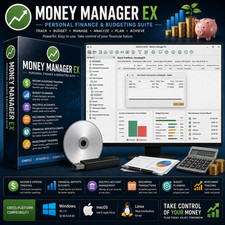
Software 1: Money Manager EX v1.7.0 -- Personal Finance & Budgeting
Money Manager EX is a straightforward personal finance manager for tracking income, expenses, budgets, and investments. A no-subscription alternative to Mint, Quicken, and other subscription-based finance tools -- with all your data stored locally on your computer.
- Income & Expense Tracking -- Monitor spending across all accounts and categories
- Budgeting -- Set budgets by category and track progress against them
- Account Reconciliation -- Reconcile bank accounts and credit cards manually
- Investment Tracking -- Track stocks, bonds, mutual funds, and other investments
- Customizable Reports -- Generate reports to understand spending patterns and financial health
- No Bank Connection Required -- Enter transactions manually or import from CSV files
Software 2: GnuCash v5.5.5.0 -- Accounting & Small Business Finance
GnuCash is a professional-grade accounting application for personal and small business use. Uses double-entry accounting -- the same method used by professional accountants -- making it a serious alternative to QuickBooks for small businesses that don’t need cloud connectivity.
- Double-Entry Accounting -- Professional accounting method for accurate, balanced records
- Invoicing & Bill Payment -- Create invoices, track payments, and manage bills
- Tax Preparation -- Tax tracking, tax reporting, and data export for tax software
- Payroll -- Basic payroll tracking for small businesses
- Multiple Currencies -- Track accounts and transactions in multiple currencies
- No Bank Connection Required -- All data stays on your computer, completely private
Your Financial Data Stays Private:
Neither Money Manager EX nor GnuCash connects directly to your bank accounts or stores data in the cloud. All financial records are saved locally on your own computer -- no third-party access, no account linking, no data sharing.
Transactions can be entered manually or imported from CSV/OFX files exported from your bank. This gives you complete control over your financial data without exposing account credentials to any external service.
What You Can Do:Track Personal Budgets & Spending
Use Money Manager EX to monitor income and expenses across all your accounts, set monthly budgets, and see exactly where your money is going.Manage Small Business Accounts
Use GnuCash’s double-entry accounting to maintain accurate business records, create invoices, track bills, and prepare for tax season -- without a QuickBooks subscription.Track Investments
Monitor stock, bond, and mutual fund portfolios in Money Manager EX with comprehensive investment tracking tools.Generate Financial Reports
Both programs offer customizable reporting so you can analyze your financial health, track trends over time, and export data for tax preparation.What You Will Receive:
- Money Manager EX v1.7.0 full installer for Windows (on disc)
- Money Manager EX User Manual PDF -- 39 pages (on disc)
- GnuCash v5.5.5.0 full installer for Windows (on disc)
- GnuCash User Manual PDF -- 276 pages (on disc)
- Step-by-step screenshot installation guide for both programs (on disc)
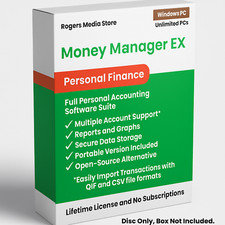
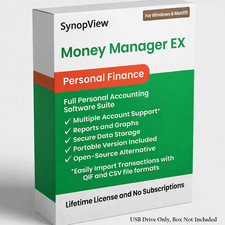
⚠ PLEASE NOTE: The software box shown in the listing photos is a product display image only. It is NOT included with your purchase. You will receive the disc only.
System Requirements:
- Operating System: Windows 7, 8, 10, or 11
- Drive: CD-ROM drive required for installation
Looking for a newer version with Mac support? See our SmartBudget Suite 2025 listing -- updated versions of both programs supporting Windows 8+ and macOS 10.13+, with additional features.
Note: The product image is for representation only. This product comes in Bulk/Wholesale Packaging. Your item will be shipped in a 6x9 inch bubble mailer without a physical retail box. Installation instructions are included as a PDF in the main directory of the disc. The file name begins with “Read Me First”.
Hassle-Free 30-Day Returns or Exchanges
We want you to shop with confidence. If you ordered the wrong item, aren’t completely satisfied, or simply changed your mind -- no problem.
We offer a 30-day return or exchange policy, completely hassle-free. Just submit a return request through ’s return system, and we’ll approve it promptly.
Why Doesn’t This Come in a Retail Box?
This item is brand new and professionally packaged in bulk/wholesale packaging rather than a traditional retail box. Many high-quality software products are distributed this way to reduce waste, lower shipping costs, and offer better value.
What Is Bulk/Wholesale Packaging?
This is our most popular packaging type. Items are distributed in bulk to reduce costs and pass savings on to you. CDs are shipped in paper sleeves. This item does not come sealed or shrink-wrapped.
Frequently Asked Questions (FAQ)💻 Can I install this on multiple computers?
Yes. There are no limits -- install both programs on as many compatible computers as you like.🔑 Does this require a product key or activation?
No. Neither Money Manager EX nor GnuCash requires a product key, activation, or registration of any kind.💰 Do these programs connect to my bank accounts?
No. Neither program connects directly to your bank. All transactions are entered manually or imported from CSV or OFX files that you export from your bank yourself. Your account credentials are never shared with any third party.💰 What is the difference between Money Manager EX and GnuCash?
Money Manager EX is best for personal finance -- tracking everyday income, expenses, and budgets in a simple, accessible interface. GnuCash is better suited for small business accounting, using professional double-entry accounting with invoicing, bill tracking, and tax preparation features. Both are included on this disc.💻 Will this work on Windows 7?
Yes. Both programs on this disc are compatible with Windows 7, 8, 10, and 11.📚 Do you include printed manuals?
Printed manuals are not included. The disc includes a step-by-step screenshot installation guide, a 39-page Money Manager EX User Manual PDF, and a 276-page GnuCash User Manual PDF.📦 Does it come in a box?
No. The box shown in the images is for illustration only. You will receive the disc in a protective sleeve inside a bubble mailer.🔁 Do I need to pay for updates?
No. Software updates are available at no charge when released.✅ Is this software legal?
Yes. Both Money Manager EX and GnuCash are 100% legal open-source software. Money Manager EX is licensed under the GNU General Public License (GPL). GnuCash is licensed under the GNU General Public License (GPL). Both are fully authorized for distribution and use.Still have questions?
Feel free to message us -- we’re happy to help.Description of Our Services
All software and digital materials offered in our listings are sourced exclusively from open-source or public-domain repositories that are freely available online.
The price you pay does not reflect the cost of the software itself, which is available at no charge. Instead, it covers the labor involved in sourcing, organizing, testing, and preparing the files; creating instructional materials; transferring content to physical media; packaging; shipping; and associated marketplace fees.
We have been a trusted seller since April 2003 -- over 22 years of delivering quality products and reliable service. We take pride in delivering a convenient, ready-to-use product that saves you time and provides long-term value.
LICENSE AND DISCLAIMER INFORMATION
Rogers Ebooks and Software is the creator of this software package and its UPC code. All software included is open source. Rogers Ebooks and Software is authorized to distribute this software under the GNU General Public License (GPL).
THE SOFTWARE IS PROVIDED “AS IS”, WITHOUT WARRANTY OF ANY KIND, EXPRESS OR IMPLIED, INCLUDING BUT NOT LIMITED TO THE WARRANTIES OF MERCHANTABILITY, FITNESS FOR A PARTICULAR PURPOSE AND NONINFRINGEMENT. IN NO EVENT SHALL THE AUTHORS OR COPYRIGHT HOLDERS BE LIABLE FOR ANY CLAIM, DAMAGES OR OTHER LIABILITY.