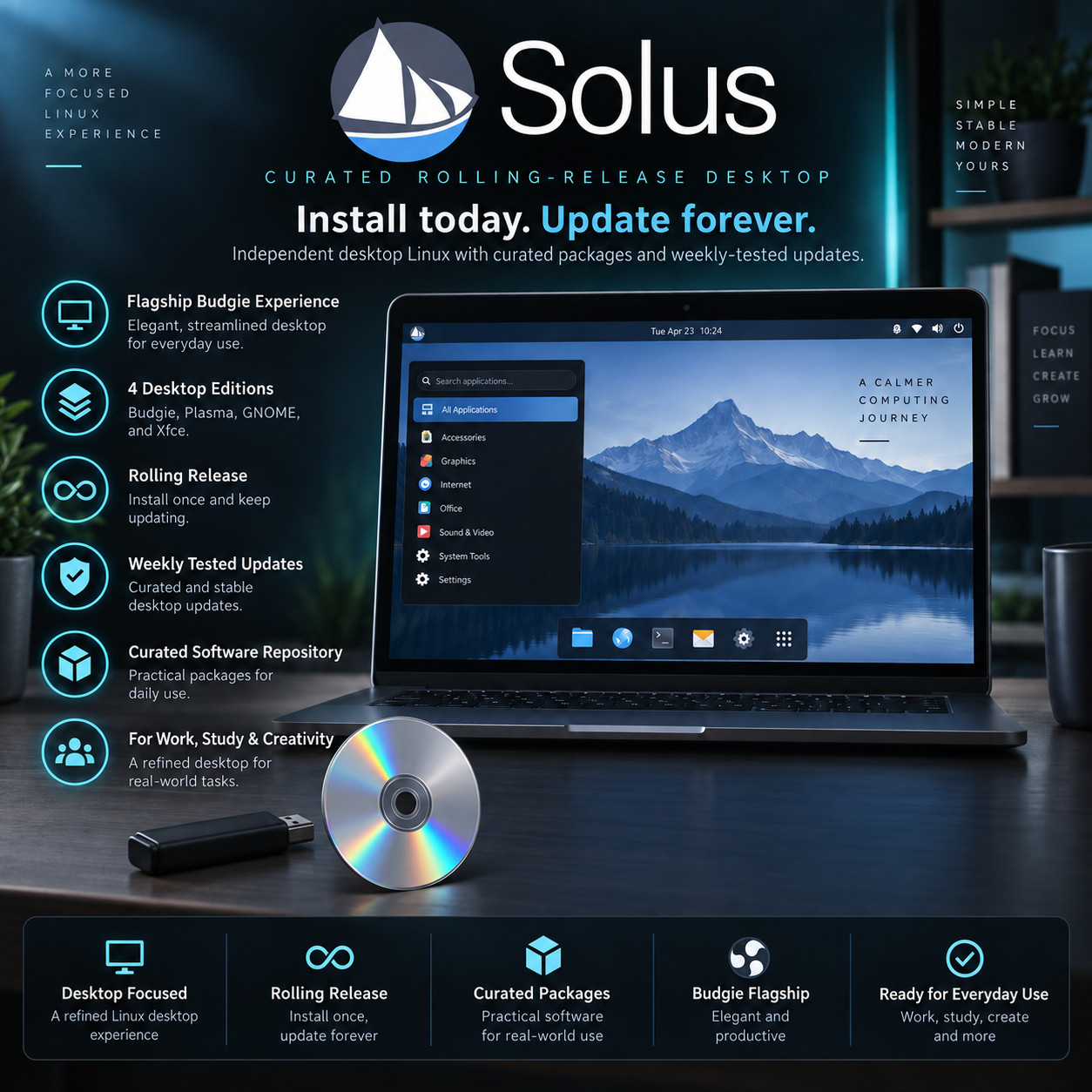
The Personal OS For Personal Computers SOLUS BOOT · TRY · INSTALL · KEEP Install today, update forever — a desktop built from the ground up to be quietly excellent. Try Before You Install Budgie Desktop Built Independently No Reinstalls, Ever The Budgie edition · choose your media at checkout · USB flash drive or DVD — same Solus, same guide, your call. Try It Without Changing Anything Plug the USB in or drop the disc in, and the whole desktop runs straight from the media — open the web browser, play some music, see how it feels on your own machine. Your hard drive is untouched the entire time. Take the media out, restart, and the computer is exactly as it was.
Solus is a desktop system made for one purpose: to be a pleasant computer to own. It is not a stripped-down server system with a desktop bolted on, and it is not built on top of somebody else's work — the project builds its own software collection with its own tools, and every choice in it is made for people using a laptop or a desktop at home. The result is a computer that is ready to use the moment it finishes installing, keeps itself current through ordinary updates for as long as you own it, and never asks you to wipe the machine and start again for a new version.
Why This Edition Stands Out 💾 Plug-in-and-boot ready media Written, tested and verified before shipping. No downloading, no disc burning, no special software to learn — plug it in or drop it in, restart, and pick it from the boot menu. 🐦 The Budgie desktop Solus with Budgie, the desktop the project designed itself and is known for. Tidy, modern and arranged sensibly from the first login, with everything described below so you know what you are getting. 🔍 Try it before you commit The live session runs the full desktop straight from the media, so you can check your wifi, sound, screen and printer all behave on your actual computer before anything changes. 🎁 Ready to use straight away A web browser, an office suite, a media player, a photo viewer and the everyday tools are installed and set up when you first log in. There is no shopping list to work through. 📚 Step-by-step PDF setup guide A screenshot-driven "Read Me First" guide ships on the media — boot-menu keys for the major laptop brands, the live session, and the whole install walked through screen by screen. 🚀 Always the latest release The media is rebuilt as new releases ship — you receive the current one at order time, not a copy that has been sitting on a shelf. Meet the Budgie desktop 🖥️ Familiar the moment you sit down A panel along the edge of the screen, a menu button that opens your applications, a clock and a system tray where you expect them. Nothing here needs learning before you can get on with something. Anyone who has used a computer will find their way around within a minute of logging in — which is exactly the point. 💬 Raven — one place for everything glanceable Budgie's signature feature. A slim panel slides out from the side holding your notifications, the controls for whatever is playing, and your sound devices, so you can skip a track or switch from speakers to headphones without hunting through menus or losing your place. Slide it away and the screen is clear again. 🎛️ Arrange it how you like, in a proper settings app A dedicated Budgie Desktop Settings app handles the layout: move the panel, add or remove the small tools that sit on it, change the theme and icons, and set how your open programs behave. It is all normal buttons and switches in one window — no configuration files, no guesswork about which setting lives where. ✨ Modern underneath, calm on top Built on current desktop technology and kept deliberately uncluttered, Budgie manages the trick of feeling light and looking polished at the same time. It is the experience the Solus project curates most closely, tuned to suit the machines people actually own, and the reason a great many people seek this system out in the first place. What makes Solus different 🧱 Built from the ground up, by its own project Most desktop systems are assembled on top of somebody else's foundation and inherit its decisions. Solus is not. The project maintains its own software collection, its own package manager and its own build tools, which means every choice in the system was made with a personal computer in mind rather than borrowed from a server platform. That independence is unusual, and it is the reason the whole thing feels so coherent. 🔄 Install today, update forever There are no numbered versions to upgrade between and no reinstall day. New software arrives as ordinary updates you accept when it suits you, so the computer you set up this afternoon simply keeps becoming the current one. People run the same Solus installation for years and it stays up to date the entire time. 🧪 Curated, and tested before it reaches you The catch with always-current systems is usually that you become the tester. Solus handles this deliberately: the software collection is curated rather than sprawling, and updates are gathered up, put through testing, and released to users on a weekly rhythm. You get current software that has already had its rough edges found by somebody else. 🎚️ Sensible decisions already made for you Things work out of the box. Media files play without hunting down extra pieces, the desktop is set up the way its designers intended, and the software you would reach for on day one is already installed. It is a small philosophy with a large effect: you spend the first evening using the computer rather than configuring it. 🧑💻 Ready for making things Whatever you make on a computer, the tools are a click away in the software centre. Programming editors and languages, version control and container tools for developers. Graphics, illustration, photo editing, music production and video editing for creative work. Game launchers, gamepad support and a tuned gaming setup for playing. None of it needs the system taking apart first. 🔒 Quiet, private, and yours No adverts in the menus, no account to create before your own computer will let you work, and nothing reporting back on what you open. It starts quickly, stays out of your way, and does what you asked it to do — which is all most people have ever wanted from a computer. Plus more inside 🛒 A software centre for everything else Search for what you want, click install, and it appears in your menu. Updates for everything you have added come through the same place, on the same schedule. 🎬 Media that plays first time Audio and video files open and play without a hunt for extra components — one of the small things that makes a system feel finished rather than half-built. 🧭 Point-and-click installer A friendly installer covers your language, keyboard, time zone, disk and account in a handful of clear screens, with no commands to type at any stage. 🧑🤝🧑 Keep what you already have The installer can set Solus up alongside the system already on the machine, so you pick which one to start each time and move across at your own pace. 🖥️ Starts on older and newer machines alike Both the modern and the traditional ways of starting a computer are supported, so it boots on a machine from a decade ago as readily as on one bought last month. 🎮 Gamepads and gaming ready Many controllers work the moment you plug them in, and the launchers and runtime pieces for playing PC games are available from the software centre without hassle. 🌍 Works in your language Choose your language and keyboard layout during setup and the whole desktop follows, with spell checking to match. 🔑 No product key, no activation Nothing to type in, no subscription, no account needed before you can use your own computer, and no limit on how many of your machines you put it on. Who it's for 🏠 Everyday home computing Browsing, email, documents, photos, music and video calls — all working from the first login, on a desktop with no adverts and nothing watching over your shoulder. 🌱 People new to Linux Sensible decisions already made, software already installed, and a live session to try first. Much of what usually makes the first week frustrating has simply been removed. 🧑💻 Developers & makers Editors, languages, version control and container tools all available without ceremony, on a system that stays current without breaking underneath your projects. 💻 Laptops that feel tired A machine that has slowed to a crawl is usually good hardware carrying too much weight. A light, tidy desktop and a system that is not busy behind your back gives one a real second wind. What you receive in the mail
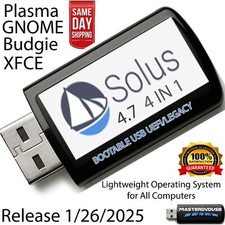
1 × USB flash drive or DVD (your choice at checkout) preloaded with the current Solus release — bootable as a live session you can try and as a full installer - The Budgie desktop — the experience the Solus project designed and curates most closely, set up and ready from the first login
- Step-by-step setup guide with screenshots — open the "Read Me First" PDF on the media
- Quick reference card — boot-menu keys for the major laptop brands and a one-page tour of your new desktop
Compatibility Requirement Minimum Recommended Processor Any 64-bit Intel or AMD processor A 2 GHz quad-core or better Memory 4 GB of RAM 8 GB or more Disk space 10 GB available 25 GB or more, with room for your files Graphics Any built-in or separate graphics adapter Any built-in or separate graphics adapter Firmware Either the modern (UEFI) or the traditional (BIOS) way of starting up UEFI Live session Nothing is written to your disk while you are only trying the desktop from the media Internet Not needed to boot the live session or to install. Recommended afterwards for updates and extra software. Drive A USB port (USB option) or a DVD drive (DVD option) How it works (3 steps) 1 Plug in & start up Insert the USB or DVD, restart the computer, and choose it from the boot menu. The included guide lists the right key for each laptop brand. 2 Have a proper look round The full desktop runs straight from the media. Open the browser, play a video, check the wifi and the printer — all without touching your hard drive. 3 Install it when you're ready Click the installer on the desktop and follow a few simple screens — keep your current system alongside it, or give Solus the whole machine. Owned, not rented No product key. No activation. No subscription, and no account to create before your own computer will let you work. Put it on as many machines as you like, keep using it for as long as the hardware lasts, and take the updates the project publishes at no cost — for as long as you own the computer, with nothing further to buy and no version to upgrade to. Frequently asked questions 🐦 What is Budgie like to use? Comfortable and quickly familiar. There is a panel with a menu button, a clock and a tray, and your programs open in ordinary resizable frames — so you already know how to use it. Its own touch is Raven, a slim panel that slides out with your notifications, media controls and sound devices in one place. A dedicated settings app lets you move things around when you feel like it. Most people are working normally within minutes of the first login. 💿 USB or DVD — which should I pick? If your computer has no optical drive (most laptops since 2018), pick the USB — it also boots noticeably faster. If you have a desktop with a DVD drive, either works and the contents are identical. 💾 What's on the media? The current Solus release with the Budgie desktop, bootable both as a live session you can try and as a full installer, plus a step-by-step PDF setup guide and a one-page quick-reference card. 🔄 What does "install today, update forever" mean? There are no numbered versions to move between. Updates arrive continuously as ordinary updates you accept when convenient, so the system you install simply keeps becoming the current one — there is never a point where you must back everything up and reinstall to stay supported. Updates are tested and released on a weekly rhythm, so what reaches you has already been through its paces. 🛟 Will this change what's already on my computer? Only when you choose to. Booting the USB and using the live desktop leaves your hard drive completely untouched. When you do install, the installer asks whether to keep your existing system alongside Solus or use the whole disk, and tells you plainly which you have picked. Back your important files up first, as you would before installing any operating system. 📄 Can I open documents people send me? Yes. An office suite that opens and saves the usual document, spreadsheet and presentation formats is included, and web-based document tools work in the browser exactly as they do now. 🛒 How do I install more programs? Open the software centre, type the name of what you want, and click install. It covers office software, photo and video editing, music tools, games, programming editors and much more — all from one place, with updates handled the same way. 💻 Will it run on my computer? If it is a 64-bit machine with 4 GB of memory and 10 GB of disk space available, very likely — and 8 GB of memory upwards is where it becomes comfortable. Both the modern and traditional ways of starting a computer are supported, so older machines are catered for too. The surest answer for your particular computer is to boot the live session on it and see, which is exactly what the try-first step is for. 💻 Can I use it on more than one computer? Yes — boot it and install it on as many machines as you own. There are no activation limits of any kind. 🔑 Does it need a product key, activation, or account? No. There is no product key, no activation, and no account registration required to install or use the desktop. 🔁 Do future updates cost anything? No. The project publishes updates at no cost — you can keep the system current for as long as you want to, and there is no newer version to buy. 📦 We ship as soon as paid Install today. Update forever. The personal computer, made personal again. Have a question? Please do not hesitate to message us before purchasing.
This listing is for professionally prepared physical media. Your USB or DVD arrives preloaded with the operating system, setup guide, and quick-reference card, ready to use. You are paying for the prepared media and the sourcing, organisation, packaging, and shipping that goes into it, not for software licenses.
Condition: brand new prepared USB drive or DVD. Professionally assembled, tested, and verified before shipping.
Important notes: this is a prepared physical USB or DVD device, your choice of media at checkout. Includes software released under its applicable licenses, prepared and organised for ease of installation. No product keys or paid software licenses are included or required to use the software. For use on systems you own or are authorized to service. Installing an operating system can overwrite existing data — please back up anything important before you begin. The purchase price reflects the cost of the prepared media, the sourcing and organisation of the contents, packaging, and shipping, not a license to the underlying software. Only items shown or described are included.