FREESHIPPING in the Continental U.S. only.
STOCK HACKER SCANNER FOR THINKORSWIM® — FIND OPENING RANGE BREAKOUTS FASTER WITHOUT FLIPPING THROUGH CHARTS
The market open can create some of the best momentum opportunities of the day, but it can also be one of the easiest times to miss them. By the time many traders manually sort through charts, the cleaner setups are already moving.
This Opening Range Breakout Scanner for thinkorswim desktop is designed to help you identify potential ORB candidates inside Stock Hacker faster and more efficiently, so you can focus your attention on the stocks that matter most.
This is a practical workflow tool for traders who want a more organized way to scan for ORB setups instead of wasting valuable time searching chart by chart.
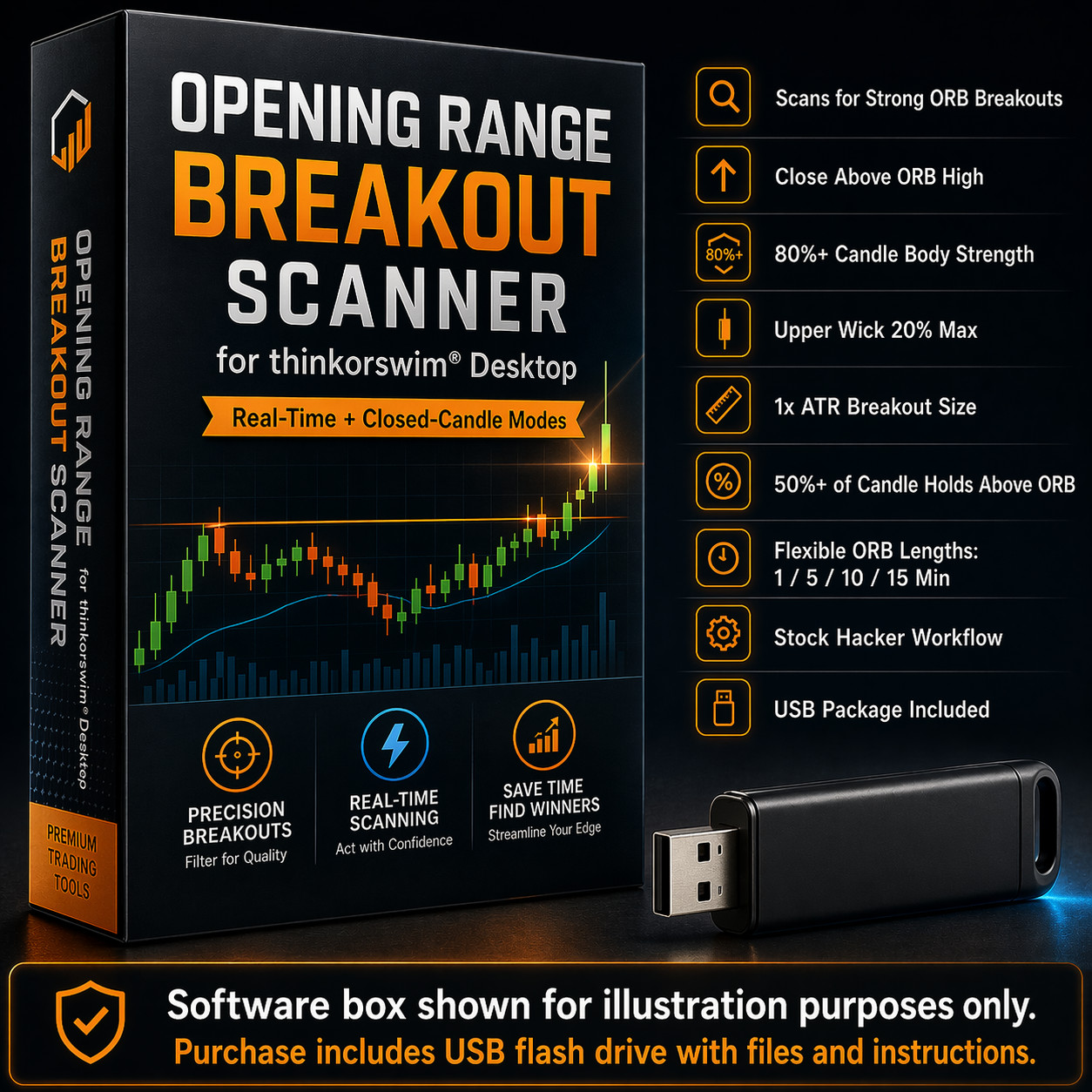
For this scanner, the breakout candle must meet the following conditions:
- Close above the ORB High
- Green / bullish candle
- Body is at least 80% of the candle’s total range
- Upper wick does not exceed 20% of the candle’s total range
- Candle size is at least 1x the 14-Period ATR
- At least 50% of the candle’s total range must hold above the ORB High
This is a strong fit for traders who:
- trade the open
- look for momentum breakouts
- use Stock Hacker regularly
- want a faster way to locate ORB candidates
- prefer a cleaner workflow with less chart flipping
- want the option of early alerts or confirmed alerts
2 SCANNER MODES INCLUDED
This package includes two ORB scanner options so you can choose the style that fits your trading approach:
Real-Time / Forming-Candle Mode
This version can react while the current scan candle is still forming. It is designed for traders who want earlier awareness and do not want to wait for the candle to fully close.
Important:
Real-Time mode may alert earlier, but because it evaluates a forming candle, conditions can change before that candle closes. As a result, some candidates may no longer meet the scan criteria by the time the candle finishes.
Closed-Candle / Confirmed Mode
This version waits for the selected scan candle to fully close before qualifying the setup. It is designed for traders who prefer more confirmation and a more conservative approach.
Important:
Closed-Candle mode is more conservative because it waits for full candle confirmation before identifying the setup.
Why this matters
Some traders want the earliest possible heads-up. Others would rather wait for confirmation before acting. Including both modes gives you the flexibility to choose what works best for your own trading style.
FLEXIBLE STOCK HACKER TIMEFRAME WORKFLOW
One of the strongest advantages of this package is flexibility.
You can scan for Opening Range Breakouts across multiple timeframes at the same time by adding the scanner script as an optional “Any of the following” filter multiple times in Stock Hacker as a Custom Study,with different Opening Range Minutes (orbMinutes) settings assigned to each filter.The orbMinutes input is part of the script and should be adjusted based on the ORB length you want to scan for. See the last photo.
For example, you can scan 5-minute, 10-minute, and 15-minute Opening Range Breakouts in one pass. See the last listing image for an example of this workflow.
This gives you a more flexible ORB workflow instead of being limited to only one scan timeframe.
That means this is not locked into one rigid setup. It can be adapted to how you trade.
How timeframe settings work:
The Stock Hacker aggregation controls the candle timeframe being scanned, so for the closest match, it should usually match the chart timeframe you plan to trade from. The Opening Range Minutes (orbMinutes) input is separate and controls how many minutes after the open are used to define the ORB. The default is 5 minutes, but traders can change it to 1, 10, 15, or another preferred ORB length.
Timing Note:
Stock Hacker scan results are subject to thinkorswim platform refresh and processing speed. In fast market conditions, especially when scanning near the end of a currently forming candle, results may sometimes appear slightly delayed on the chart even when the scan logic itself is correct. This is a platform timing/refresh behavior, not necessarily a problem with the script.
KEY BENEFITS
- Helps you spot possible opening range breakout candidates faster
- Designed for thinkorswim desktop Stock Hacker workflow
- Includes both Real-Time and Closed-Candle scanner versions
- Can be used with multiple intraday scan aggregations
- Helps reduce manual searching during the busiest part of the trading day
- Useful for momentum traders, scalp traders, and active day traders
DELIVERED ON A USB FLASH DRIVE CONTAINING
- Full thinkScript scan code for the Opening Range Breakout Scanner
- A short setup guide showing how to paste it into a custom study and use it in Stock Hacker
- A read-me explaining what the parameters do and how the scan logic works
REQUIREMENTS — PLEASE READ BEFORE BUYING
You will receive a USB-A 3.0 flash drive. It is backward compatible with USB 2.0 ports. If your computer only has USB-C ports, you may need a USB-C to USB-A adapter (not included).
You must already have an active thinkorswim® account. Platform access is not included.
This scanner is for the thinkorswim desktop platform only. It is not for mobile and not for other brokers or platforms.
Buyers should already be reasonably familiar with thinkorswim, including how to:
- open Edit Studies and Stock Hacker
- create a new custom study
- copy/paste code into the thinkScript editor
- adjust study inputs/settings on a chart and in a scan filter
PARAMETER ADJUSTMENT & TESTING
The indicators and scanners we sell are fully adjustable, and performance depends heavily on:
- the symbols you trade
- the timeframes you use
- current market conditions and volatility
There is no single “magic setting” that works perfectly on every ticker and every timeframe.
Always use risk management. It is strongly recommended that you trade with a clearly defined risk level on every position, such as a stop loss or max dollar loss per trade. Never risk money you cannot afford to lose.
For best results, you should:
- experiment with different ORB scanner timeframe settings
- test the scanner with your own strategy and process
- re-tune inputs as markets change
IMPORTANT DISCLAIMER
There are no guarantees of profit, accuracy, or performance. Past performance is not indicative of future results.
This product is provided for educational and informational purposes only and does not constitute financial, investment, or trading advice.
You are solely responsible for your own trading decisions, parameter choices, position sizing, and risk management. Trading involves substantial risk and can result in loss of capital.
The seller/creator cannot and does not accept responsibility for trading losses or damages of any kind that may result from the use of this scanner.
TRADEMARK / AFFILIATION NOTICE
thinkorswim® and any broker names mentioned are trademarks of their respective owners. This product is not affiliated with, endorsed by, or sponsored by Schwab, TD Ameritrade, or any broker.
******Companion Product Also Available for sale. item #389447716050******
If you want a more complete ORB workflow, this scanner pairs well with my separate MTF Opening Range Levels + Midlines study. The scanner helps you locate possible ORB candidates in Stock Hacker, while the levels study helps you visualize important Opening Range levels directly on the chart for confirmation, structure, and trade planning.
15% discount if you purchase both. Companion study sold separately unless otherwise stated.