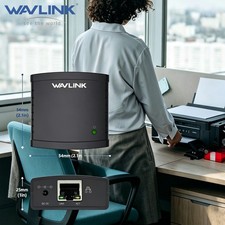
Black Wired mode one
Wavlink USB 2.0 Port LPR Printer Server MFT Print With 10/100Mbps Ethernet Port, Sharing a LAN Networking Printer Adapter USB Hub
1.Converts a USB printer into a standalone network printer over a 10/100 Ethernet network
2.Share one USB printer with multiple users simultaneously over a wireless network
3.Palm sized design easy to carry anywhere with you
4.Simplified installation and network connection with installation wizard
5.Supports Windows XP/Vista/7/2003, Windows OS × 10.2 or later
Features:
Wavlink - Bringing Technology to Life
It is a convenient tool to share your USB printer with multiple computers. The built-in web management feature provides more convenience by allowing the user to configure, monitor and even reset the printer server via a web browser, which eliminates the need to place the printer right next to the computer. Print and save from any computers on your desk, the Printer Server saves space and removes clutter from desks having multiple USB devices at home or office.
Save Space & Save Time, Ideal Solution for USB Printer Sharing
There is no need to have a dedicated computer to share a printer. The NU78M41 lets you print from any computers on your network, saving you the cost of having printers or the trouble of manually sharing one printer with multiple computers.
Energy Saving
Adopted high integrated chip with low consumption, it can vastly save energy and reduce cost in comparison with traditional printer.
Web Management - Flexible Placement
The built-in web management feature provides more convenience by allowing the user to configure, monitor and even reset the print server via a web browser, which eliminates the need to place the printer right next to the computer. Print jobs even can be sent to a printer in another country just as easily as to a printer in the same office.
Easy Installation
Compact and lightweight, the print server is easy to install with its straightforward installation wizards and remote web-based management. You simply use a USB cable to connect the print server to your printer’s USB port, then use an RJ-45 networking cable to connect it to the rest of your network.
Supports LPR Network Printing and Boujour Print Services
The printer server supports the Line Printer Remote(LPR) protocol which enables Internet printing. It also supports Bonjour Print Services, making it easier to find and configure printers on your network.
Specification:
- Interface Type: USB2.0
- Plug Standard: US
- Power Adapter: 5V/2A
- Network Speed: 10/100Mbps
- Network protocol: TCP/CP
- LPR Printer Supports: Microsoft Windows, MAC OS X
- USB Server Utility Support: Microsoft Windows
- Network Connection: RJ-45
- Length: 5CM
What’s in the package?
1 × USB2.0 Network LPR Print Sever
1 × User Manual
1 × Installation CD
1 × Power Adapter 5V/2A
1 × Ethernet Cable
Note:
- The setup is a one-time thing. You do not have to run this process every time you want to print. If you remove the installation wizard, it is obvious that it will no longer work.
- The function of connecting automatically for printing will be enabled for printers or MFPs that has been installed and used on your PC.
- Auto disconnect printer device might not work with storage device such as pen driver, flash driver.
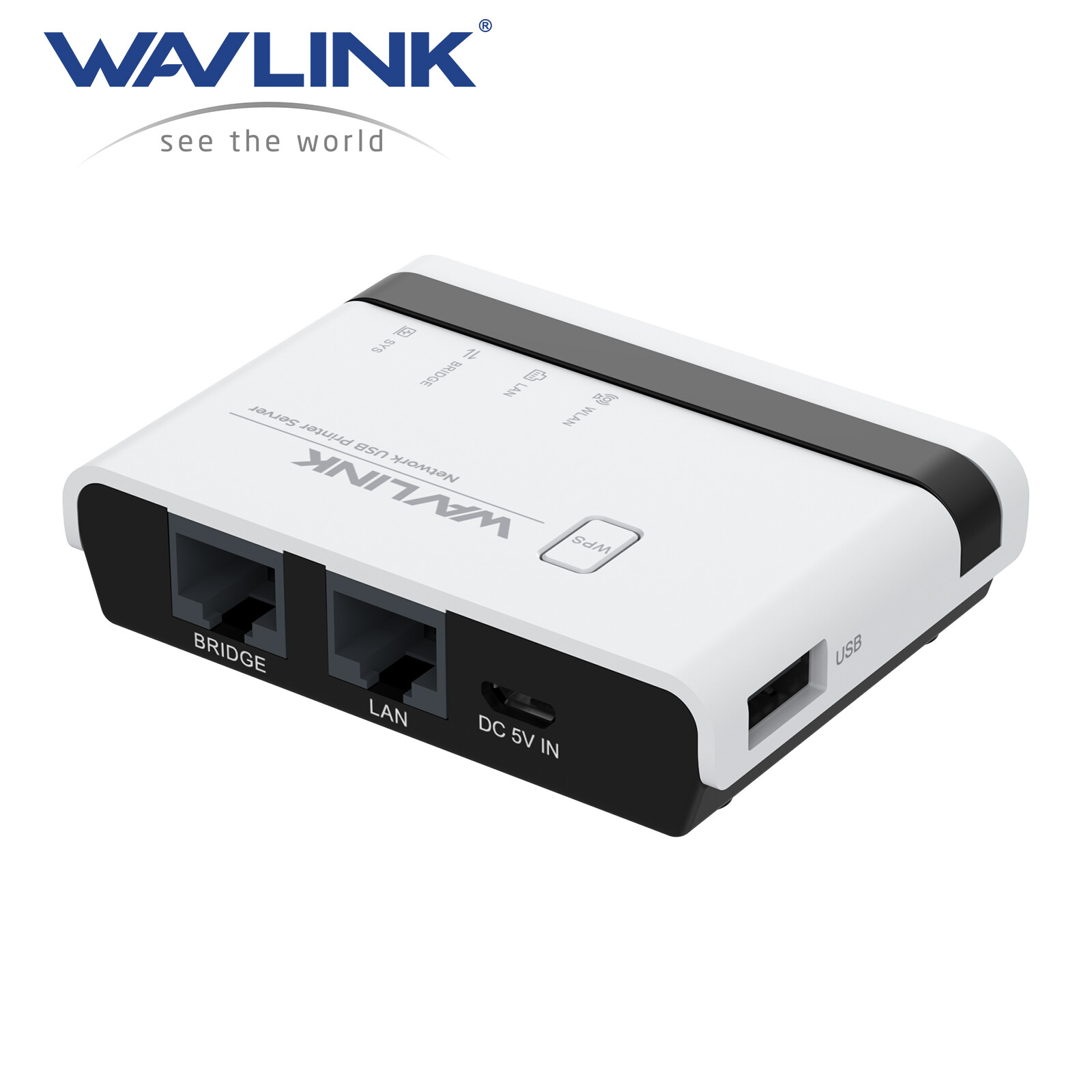
White 3-1 Mode oneWavlink WL-NU516U1 Wireless N300 USB Network Printer Server with Two Ethernet Ports1.【Share Up to 4 Printers】This print server transforms your ordinary USB printer into a wireless printer, flexibility print documents from laptops or computers. You can share a printer among multiple devices on the same network. Also, with the help of one USB hub, this print server supports connecting maximum 4 printers, which greatly simplifies the printing process.2.【3 Mode Wired/ Wireless/ Standalone 】 In wired mode and 2.4G wireless network mode, the print server receives WiFi signals from router and allows computers to print wirelessly through the same network. In standalone mode, this print service has a built-in repeater function that repeat the WiFi and then broadcasts the signal to the computer, thus allowing the computer to print wirelessly.3.【Centralized Web Management】 Get rid of hassled driver installation and complicated setting steps, enjoy one-stop printer and print server configuration on the web interface Please Note: This print server does not require an external driver, but you need to download and install the printer's driver from its official website and follow the Quick Start Guide to connect the printer to the computer.4.【Broad Compatibility】 Widely compatible with Windows 7/8/10/11/XP and Mac OS. Equipped with a high-speed 480Mbps usb2.0 port and 100Mbps bridge & LAN ports , the wifi print server is perfect for almost all usb printers, including ink-jet printers, laser printers, receipt printers, stylus printers, barcode printers and other RAW-protocol-supported printers.5.【Compact Size, Powerful Use】 Features a pocket-size of 7.5 x 5.4 x 1.8cm and a light weight of 43g. Supports automatic queue printing, which is ideal for applications at home, small office, supermarket, educational institutions... What you get: 1 x Wireless USB Print Server, 5V/1A Power Adapter, Ethernet Cable, Micro USB Cable.
Come and Get WAVLINK WiFi USB Print Server, Share Printers in Home&Office Wireless
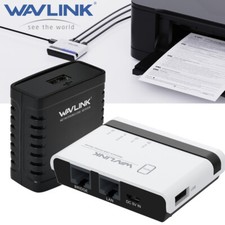
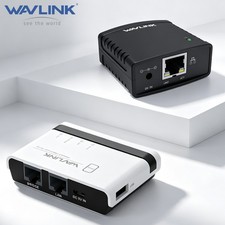
WAVLINK wifi print server allows you to share usb printers with multiple users in different ways. In the wired/wireless mode, the product connects to the superior router through the network cable/wifi signal. In stand-alone mode, the product broadcasts a wifi signal, and computers can also share the printer by connecting this signal. The usb-a port complies with usb2.0, which supports connecting four printers or storage devices via a usb hub. Its palm-size and wide compatibility make the print server suitable for home, warehouse, shop, office, e-commerce, soho, government, educational institutions and any other places that require shared printing capabilities.
Installation Steps
1.Connect the power adapter.
2.Connect the printer and network.
3.Follow the Quick Start Guide to configure the printer and network settings on your PC
Please check the Quick Start Guide for more detailed printer and network setup steps.
Description of LED Indicators
WLAN LED is on/off —— The WiFi is activated/deactivated
LAN LED is on/off —— The LAN port is connected/disconnected
BRIDGE LED is on/off —— The BRIDGE port is connected/disconnected
SYS LED is on/slow blinking —— The printer server has/hasn't connected to the router.
SYS LED is fast blinking —— The WPS is ON
Wide Compatibility
This USB wireless print server works with most usb printers, such as HP, Canon, Epson, Brother, Sharp, Fuji Xerox, Lenovo, Aurora, Samsung, Konica Minolta, Deli, Toshiba, Kyocera, Zebra, OKI and other printers that support RAW protocol. A few printers are not supported, such as Canon LBP2900, 2900+, 3000, 7200, HP P1108, HP M403D, Epson 1390. If you are not sure whether your printer supports the RAW protocol, it's recommended to consult our customer service to confirm.
WPS & Reset Button
WPS function supported, allowing for easy and convenient connection to your wireless network without input password. Press the WPS button for 6s to pair with the router when in Wireless Repeater Mode and press the Reset button for 6s to reset the device.
Share Printers via Network
WAVLINK usb wireless print server converts your usb printers into wifi printers, so that all connected computers(connect to the print server directly or through a router) can share these printers, suitable for home, warehouse, shop, office, etc. Note: It is recommended that your computer and the print server be under the same local network.
Manage on Web Interface
Supporting web management, this print server provides more convenience by allowing the user to configure, monitor and even reset the print server on a web interface, which eliminates the hassle of technically complex setup of your print server.
Good Heat Dissipation
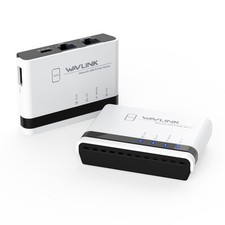
Heat ventilation holes are added at the bottom of the usb print server to ensure a good cooling effect and prolong its service life.
Specification
Model: WL-NU516U1
Color: White
Material Type: PC+ABS
Item Weight: 43g/1.5oz
Network Cable Length: 1.1m/3.61ft
Power Adapter Cable Length: 1m/3.28ft
Product Dimensions: 7.5x5.4x1.8cm/2.95x2.13x0.70in
System Requirement: Windows 7/8/10/11/XP, Mac OS
Operation Modes: Wire Mode, Wireless Mode, Standalone Mode
Features
- Allow multiple computers to share USB Printers on your local network and print from any computers.
- Compatible with most mainstream USB interface printers.
- Support Samba Service to share USB storage.
- Provide 2 x 10/100Mbps Ports for LAN and Bridge.Can extend your network.
- Support High-Speed USB 2.0 Standard for the Stable Printing Service.
- Support Various Operation Mode:Wired,2.4G Wireless Network and Standalone Mode.
- Support WEB management which is easy to manage your USB Printer Server.
- Support mDNS and SSDP Protocol to find a USB Printer Server easily.
- Support JetDirect(AppSocket)protocol.
- Support WPS button for easy and convenient connection to your wireless network without input password
- Using USB HUB can share up to 4 Printers or 4 Storage devices.
In the Box
1 x Wireless USB Print Server
1 x 5V/1A Power Adapter
1 x Ethernet Cable
1 x Micro USB Cable
1 x Quick Start Guide
Warm Notes
- Please make sure that the print server is connected to a power supply before use.
- This print server does not require an external driver, but you need to download and install the printer's driver from its official website and follow the Quick Start Guide to connect the printer to the computer.
- This print server is compatible with printers that support RAW protocol. If you are not sure whether your printer supports the RAW protocol, please contact our customer service to confirm.
- It is recommended that your computer and the print server be under the same local network.
- In stand-alone mode, you don’t need to connect the superior router, but there’s no access to the Network at the same time.
- Supports connecting multi-function printers, but does not support the scanning function of it
- This product does not support printing from phones and tablets.